> ## Documentation Index
> Fetch the complete documentation index at: https://docs.keephq.dev/llms.txt
> Use this file to discover all available pages before exploring further.
# AWS ECS
## Step 1: Login to AWS Console
* Open your web browser and navigate to the AWS Management Console.
* Log in using your AWS account credentials.
## Step 2: Navigate to ECS
* Click on the "Services" dropdown menu in the top left corner.
* Select "ECS" from the list of services.
## Step 3: Create 3 Task Definitions
* In the ECS dashboard, navigate to the "Task Definitions" section in the left sidebar.
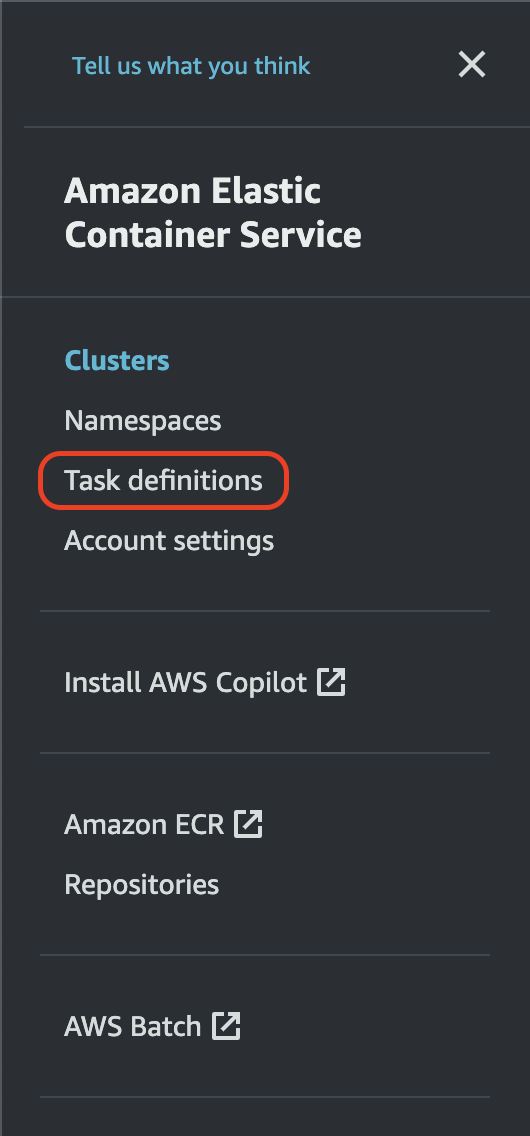 * Click on "Create new Task Definition".
 ### Task Definition 1 (Frontend - KeepUI):
* Task Definition Family: keep-frontend
### Task Definition 1 (Frontend - KeepUI):
* Task Definition Family: keep-frontend
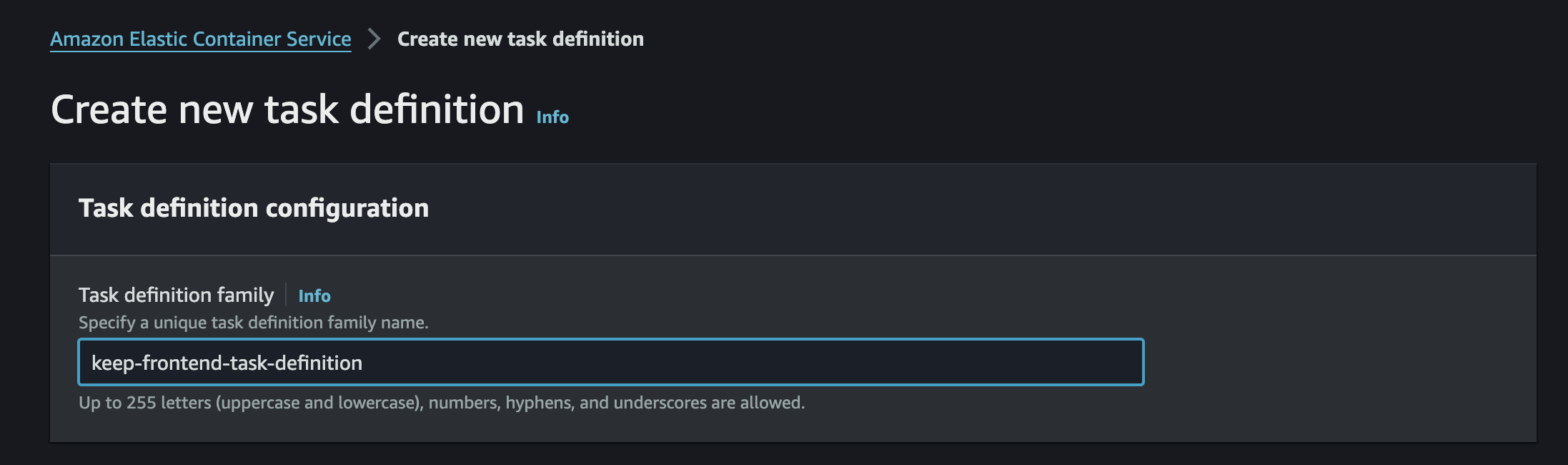 * Configure your container definitions as below:
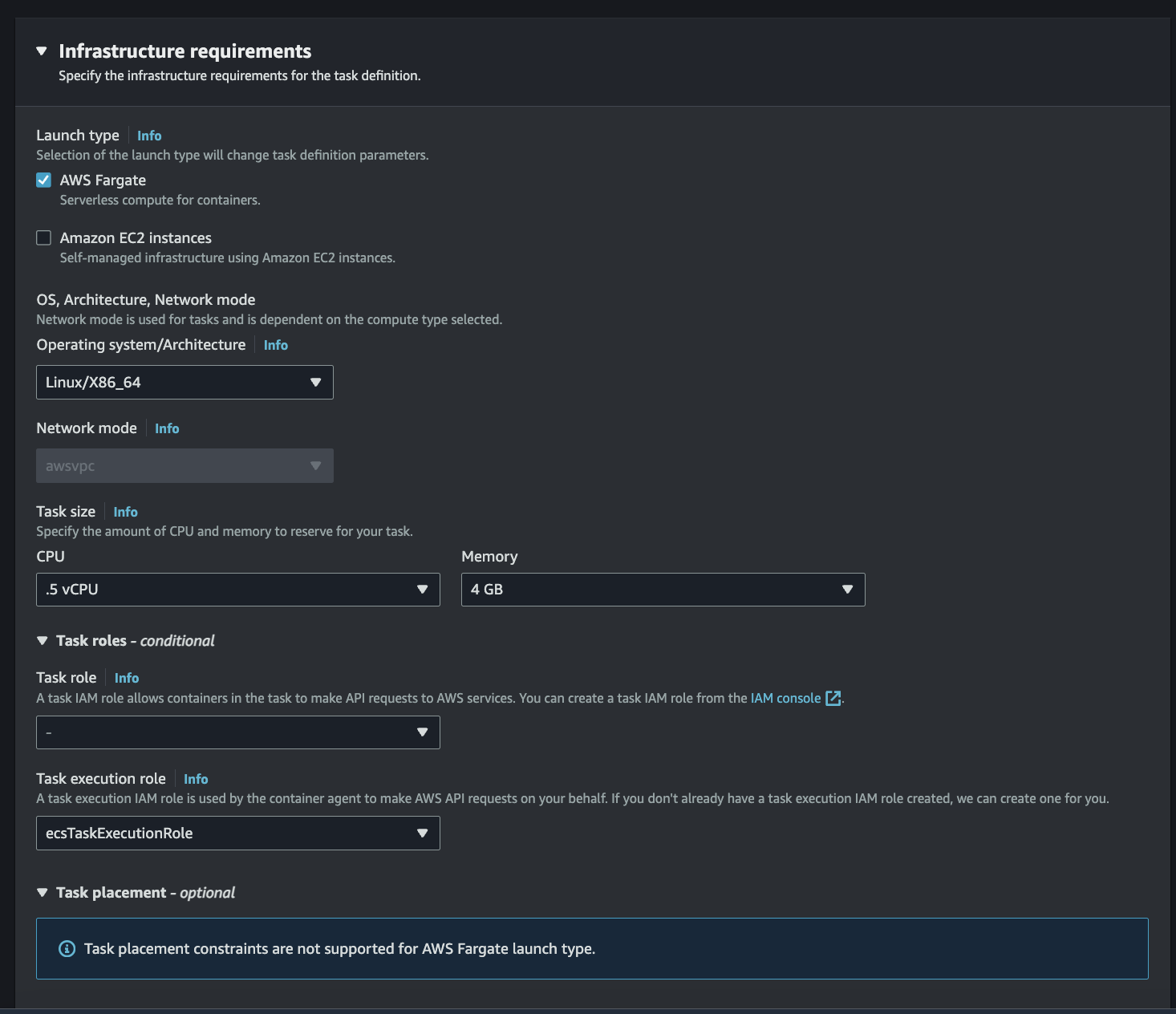
* Infrastructure Requirements:
* Launch Type: AWS Fargate
* OS, Architecture, Network mode: Linux/X86\_64
* Task Size:
* CPU: 1 vCPU
* Memory: 2 GB
* Task Role and Task Execution Role are optional if you plan on using secrets manager for example then create a task execution role to allow access to the secret manager you created.
* Configure your container definitions as below:
* Infrastructure Requirements:
* Launch Type: AWS Fargate
* OS, Architecture, Network mode: Linux/X86\_64
* Task Size:
* CPU: 1 vCPU
* Memory: 2 GB
* Task Role and Task Execution Role are optional if you plan on using secrets manager for example then create a task execution role to allow access to the secret manager you created.
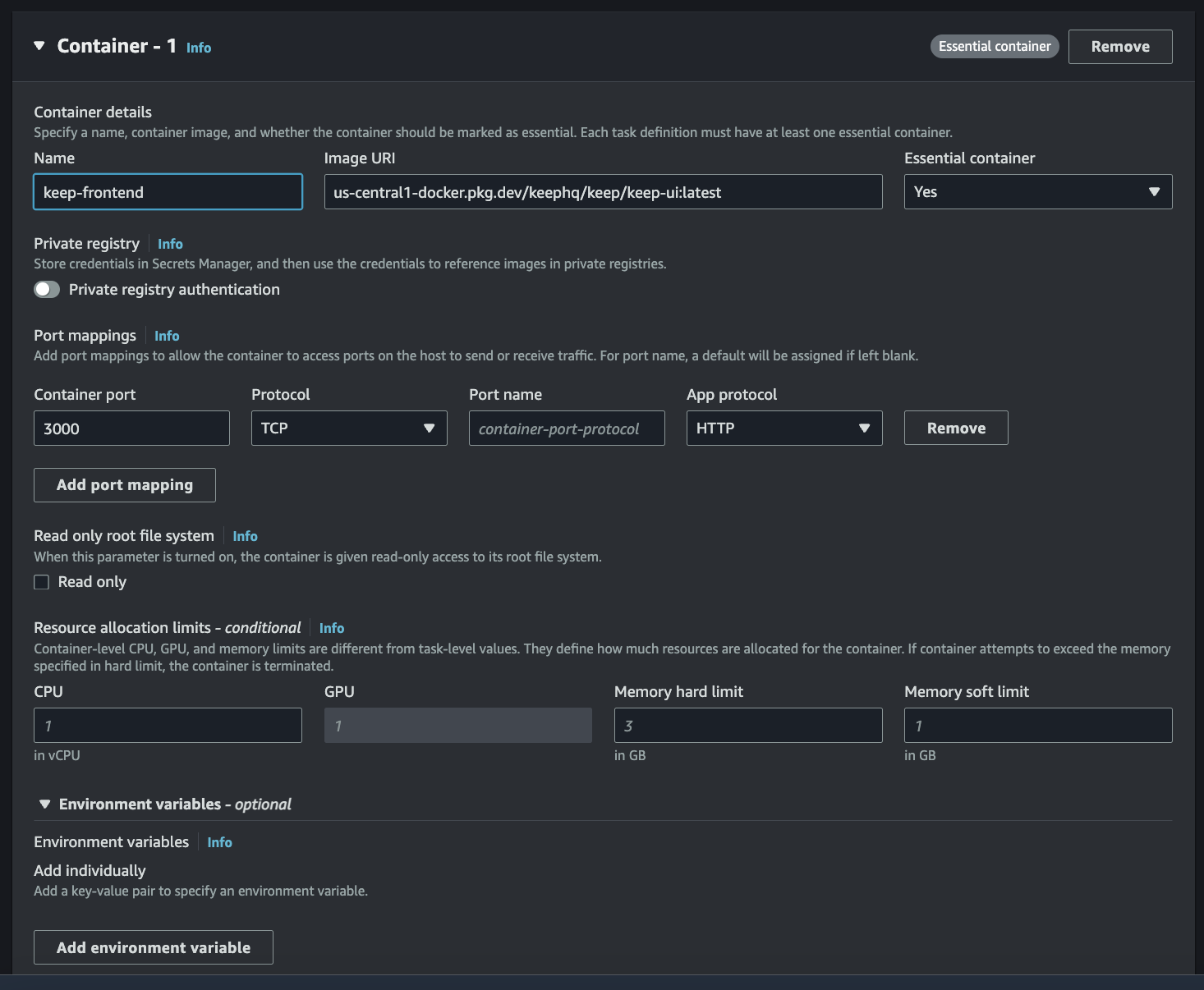
 * Container Details:
* Name: keep-frontend
* Image URI: us-central1-docker.pkg.dev/keephq/keep/keep-api:latest
* Ports Mapping:
* Container Port: 3000
* Protocol: TCP
* Container Details:
* Name: keep-frontend
* Image URI: us-central1-docker.pkg.dev/keephq/keep/keep-api:latest
* Ports Mapping:
* Container Port: 3000
* Protocol: TCP
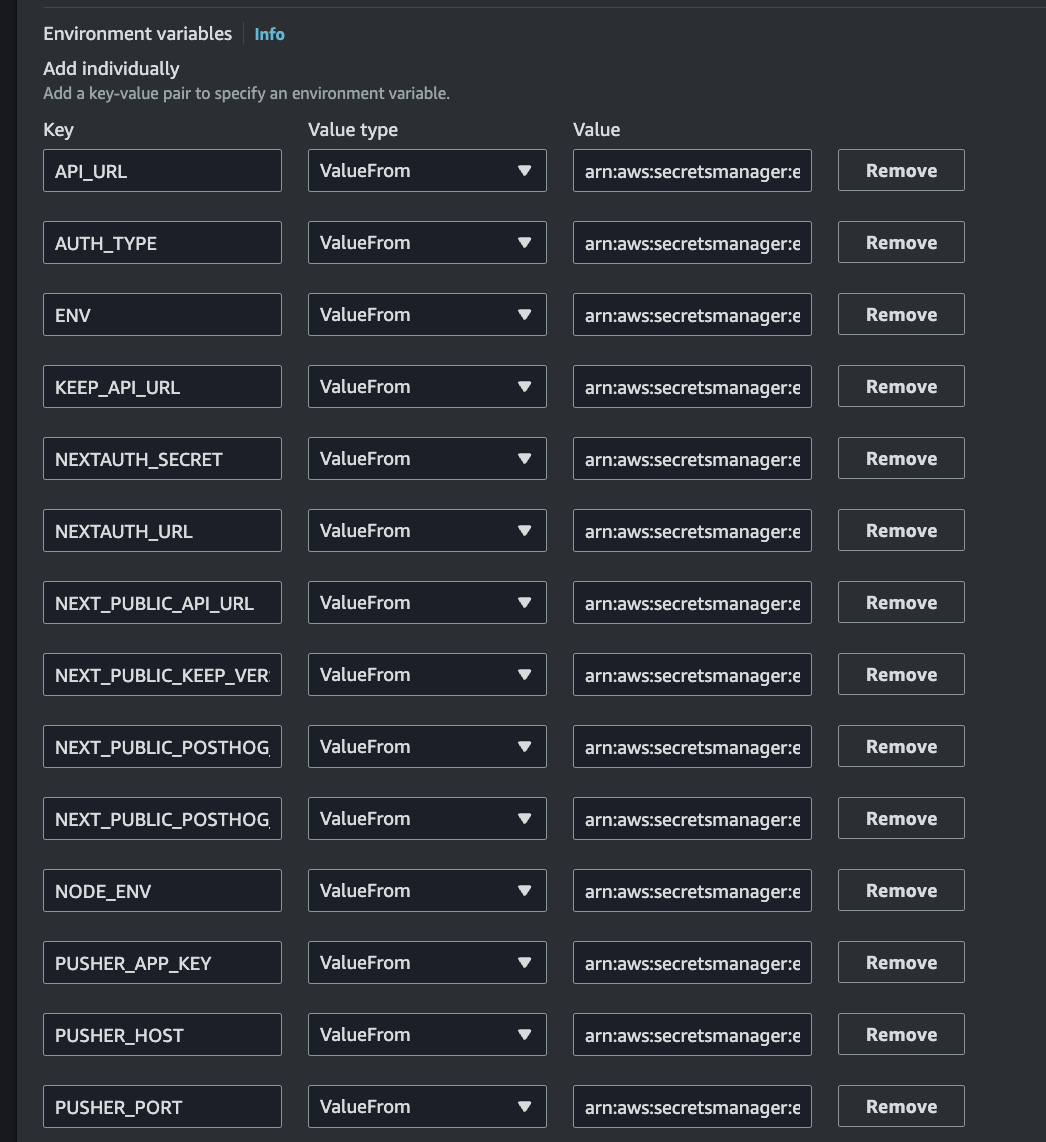
 * Environment Variables: (This can be static or you can use parameter store or secrets manager)
* DATABASE\_CONNECTION\_STRING
* AUTH\_TYPE
* KEEP\_JWT\_SECRET
* KEEP\_DEFAULT\_USERNAME
* KEEP\_DEFAULT\_PASSWORD
* SECRET\_MANAGER\_TYPE
* SECRET\_MANAGER\_DIRECTORY
* USE\_NGROK
* KEEP\_API\_URL
(The below variable is optional if you don't want to use websocket)
* PUSHER\_DISABLED
(The below variables are optional if you want to use websocket)
* PUSHER\_APP\_ID
* PUSHER\_APP\_KEY
* PUSHER\_APP\_SECRET
* PUSHER\_HOST
* PUSHER\_PORT
* Environment Variables: (This can be static or you can use parameter store or secrets manager)
* DATABASE\_CONNECTION\_STRING
* AUTH\_TYPE
* KEEP\_JWT\_SECRET
* KEEP\_DEFAULT\_USERNAME
* KEEP\_DEFAULT\_PASSWORD
* SECRET\_MANAGER\_TYPE
* SECRET\_MANAGER\_DIRECTORY
* USE\_NGROK
* KEEP\_API\_URL
(The below variable is optional if you don't want to use websocket)
* PUSHER\_DISABLED
(The below variables are optional if you want to use websocket)
* PUSHER\_APP\_ID
* PUSHER\_APP\_KEY
* PUSHER\_APP\_SECRET
* PUSHER\_HOST
* PUSHER\_PORT
 * Review and create your task definition.
### Task Definition 2 (Backend - keepAPI):
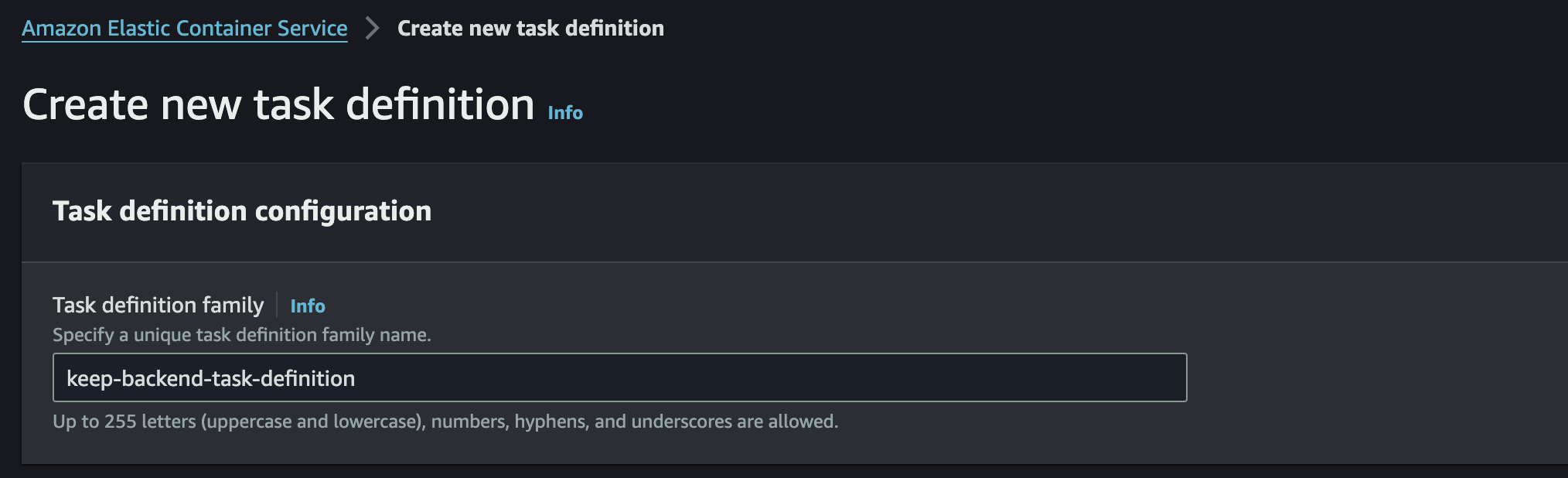
* Configure your container definitions as below:
* Task Definition Family: keep-frontend
* Review and create your task definition.
### Task Definition 2 (Backend - keepAPI):
* Configure your container definitions as below:
* Task Definition Family: keep-frontend
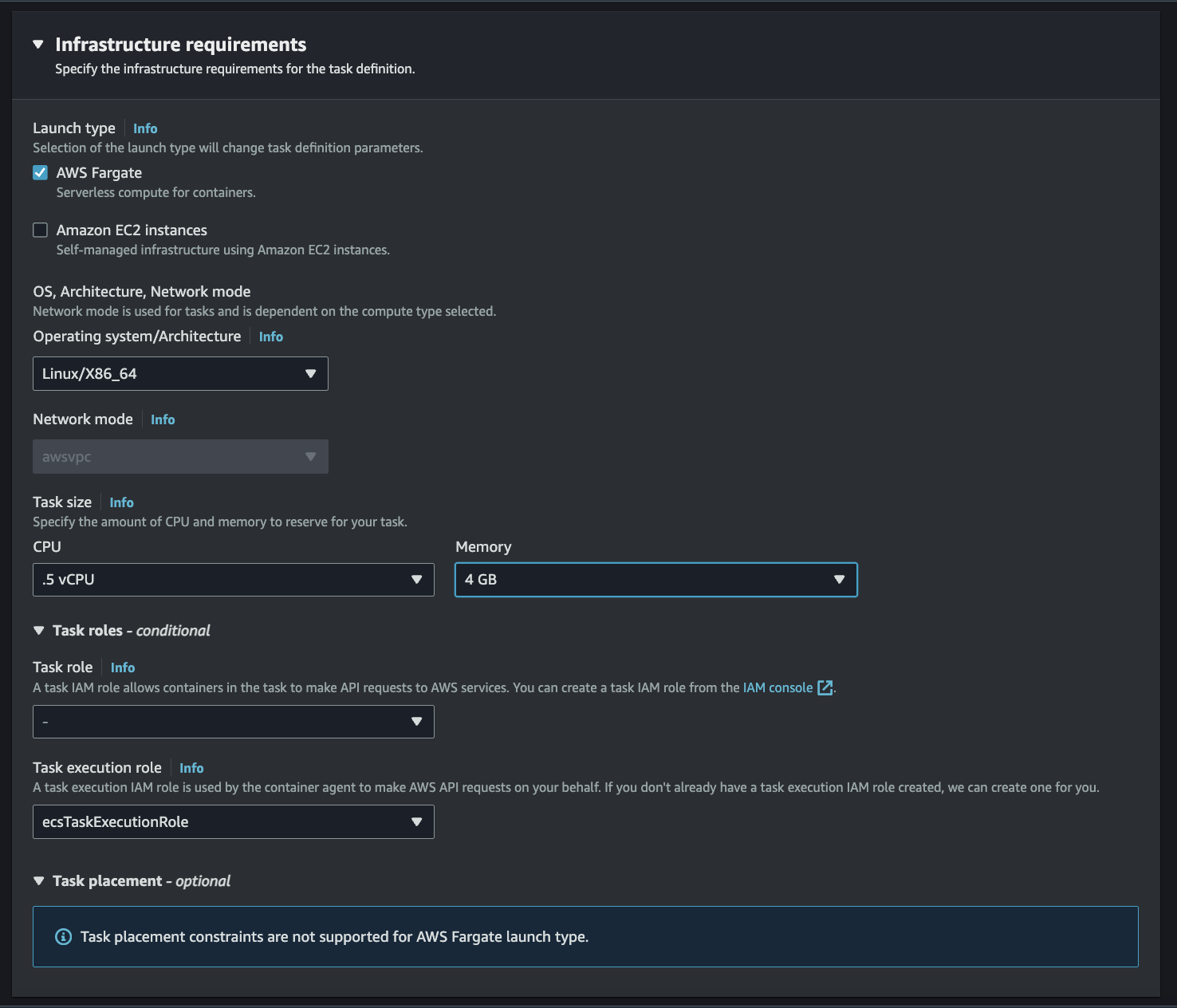
 * Infrastructure Requirements:
* Launch Type: AWS Fargate
* OS, Architecture, Network mode: Linux/X86\_64
* Task Size:
* CPU: 1 vCPU
* Memory: 2 GB
* Task Role and Task Execution Role are optional if you plan on using secrets manager for example then create a task execution role to allow access to the secret manager you created.
* Infrastructure Requirements:
* Launch Type: AWS Fargate
* OS, Architecture, Network mode: Linux/X86\_64
* Task Size:
* CPU: 1 vCPU
* Memory: 2 GB
* Task Role and Task Execution Role are optional if you plan on using secrets manager for example then create a task execution role to allow access to the secret manager you created.
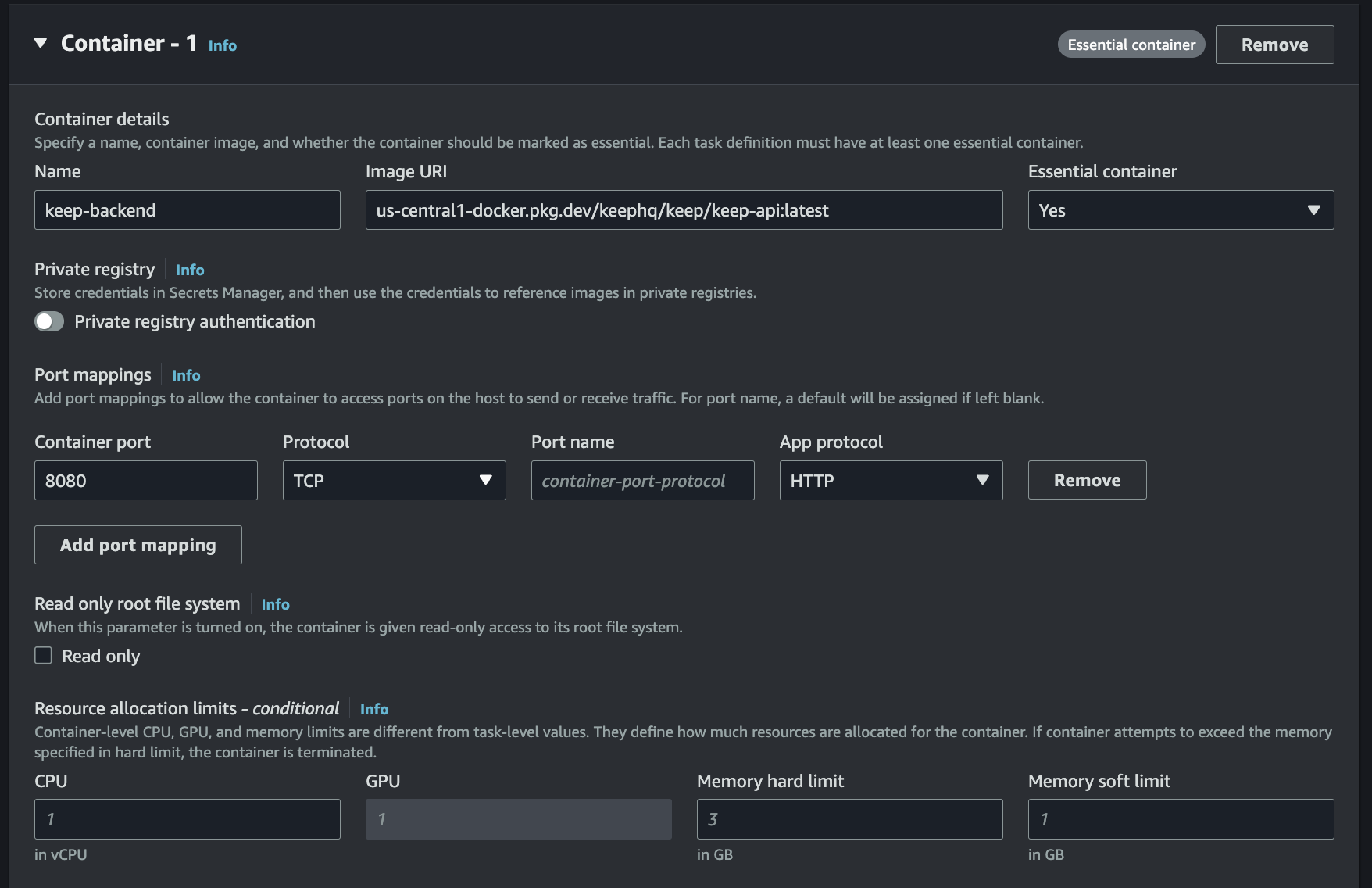
 * Container Details:
* Name: keep-backend
* Image URI: us-central1-docker.pkg.dev/keephq/keep/keep-api:latest
* Ports Mapping:
* Container Port: 8080
* Protocol: TCP
* Container Details:
* Name: keep-backend
* Image URI: us-central1-docker.pkg.dev/keephq/keep/keep-api:latest
* Ports Mapping:
* Container Port: 8080
* Protocol: TCP
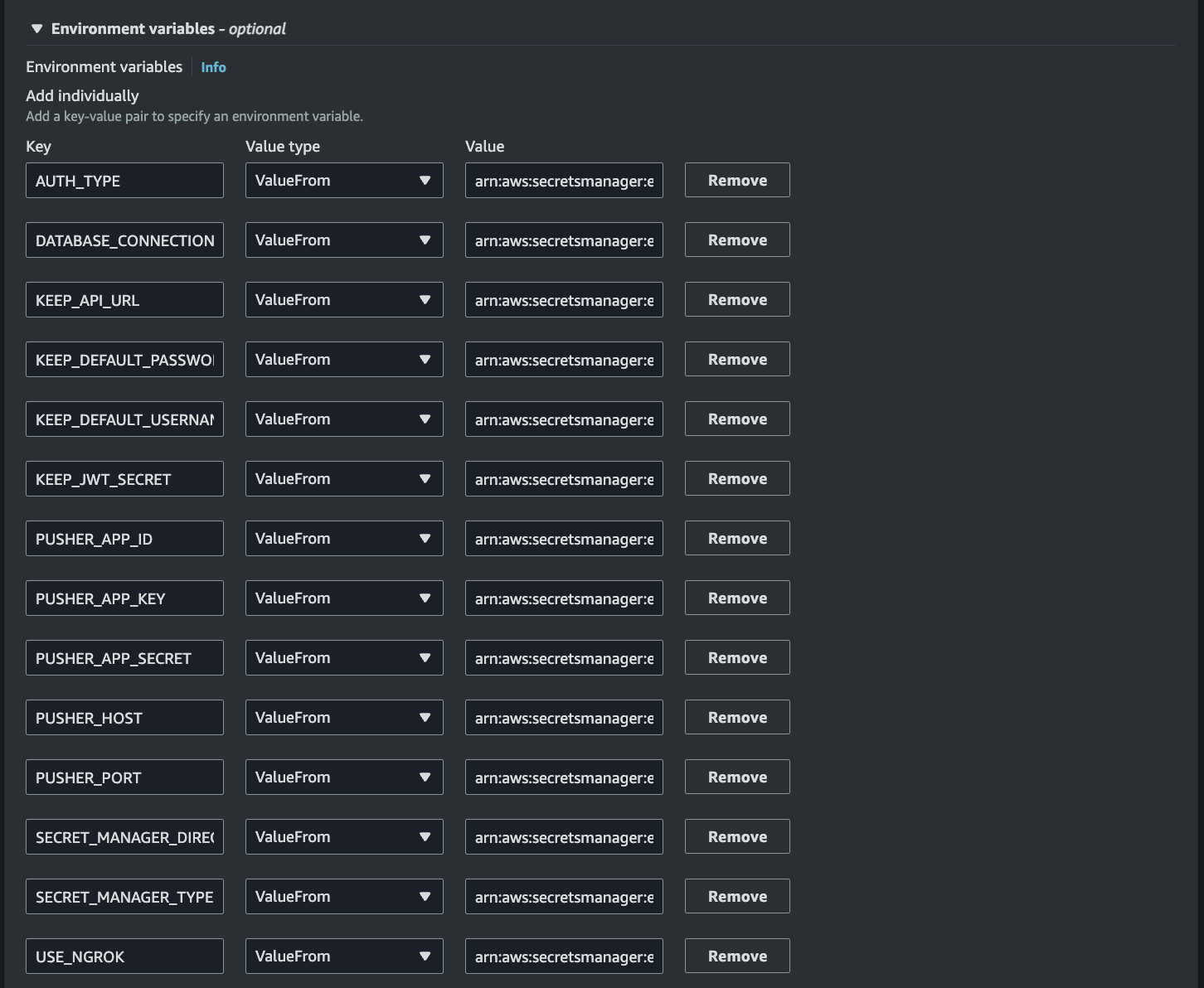
 * Environment Variables: (This can be static or you can use parameter store or secrets manager)
* DATABASE\_CONNECTION\_STRING
* AUTH\_TYPE
* KEEP\_JWT\_SECRET
* KEEP\_DEFAULT\_USERNAME
* KEEP\_DEFAULT\_PASSWORD
* SECRET\_MANAGER\_TYPE
* SECRET\_MANAGER\_DIRECTORY
* USE\_NGROK
* KEEP\_API\_URL
(The below variable is optional if you don't want to use websocket)
* PUSHER\_DISABLED
(The below variables are optional if you want to use websocket)
* PUSHER\_APP\_ID
* PUSHER\_APP\_KEY
* PUSHER\_APP\_SECRET
* PUSHER\_HOST
* PUSHER\_PORT
* Environment Variables: (This can be static or you can use parameter store or secrets manager)
* DATABASE\_CONNECTION\_STRING
* AUTH\_TYPE
* KEEP\_JWT\_SECRET
* KEEP\_DEFAULT\_USERNAME
* KEEP\_DEFAULT\_PASSWORD
* SECRET\_MANAGER\_TYPE
* SECRET\_MANAGER\_DIRECTORY
* USE\_NGROK
* KEEP\_API\_URL
(The below variable is optional if you don't want to use websocket)
* PUSHER\_DISABLED
(The below variables are optional if you want to use websocket)
* PUSHER\_APP\_ID
* PUSHER\_APP\_KEY
* PUSHER\_APP\_SECRET
* PUSHER\_HOST
* PUSHER\_PORT
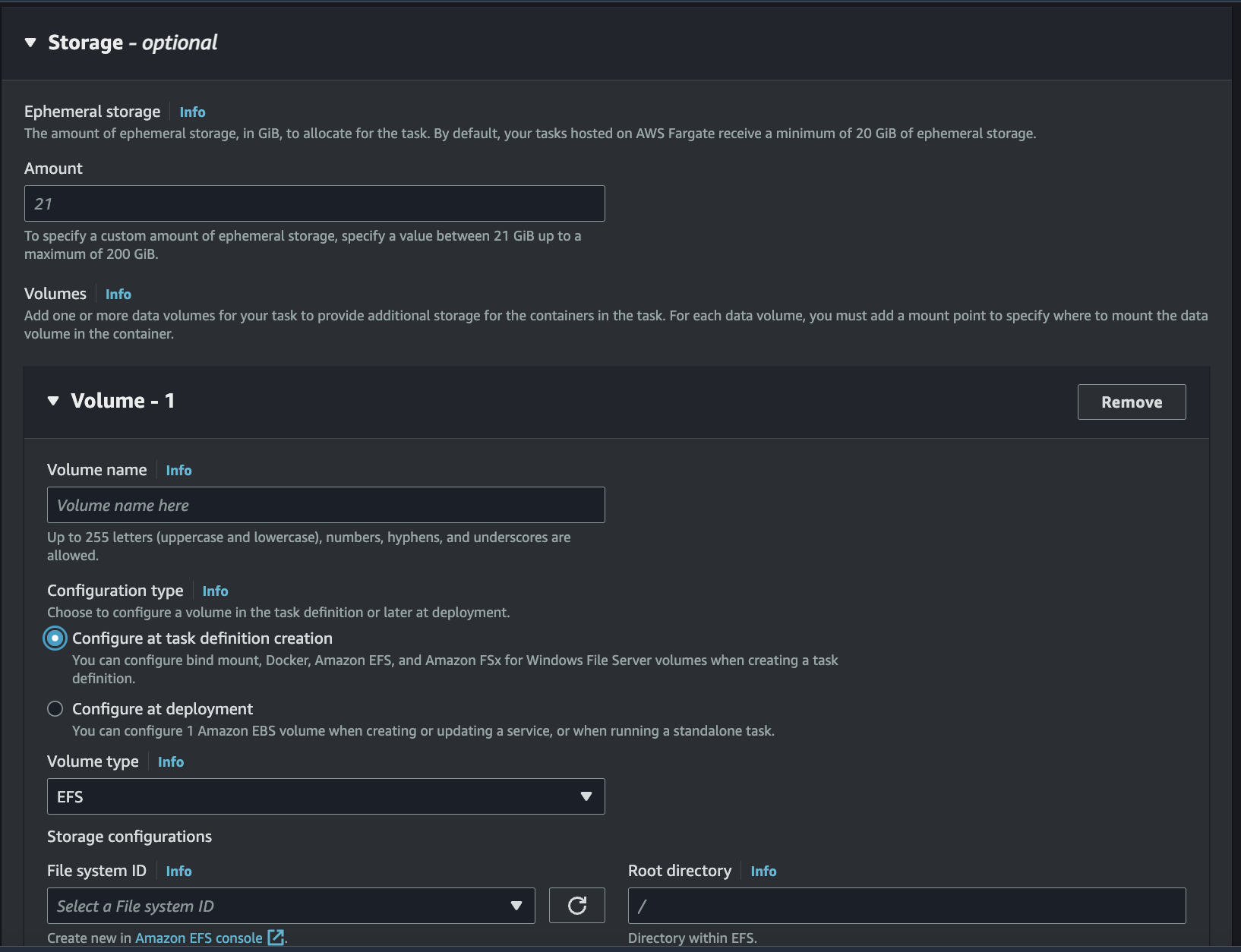
 * Storage:
* Volume Name: keep-efs
* Configuration Type: Configure at task definition creation
* Volume type: EFS
* Storage configurations:
* File system ID: Select an existing EFS filesystem or create a new one
* Root Directory: /
* Storage:
* Volume Name: keep-efs
* Configuration Type: Configure at task definition creation
* Volume type: EFS
* Storage configurations:
* File system ID: Select an existing EFS filesystem or create a new one
* Root Directory: /
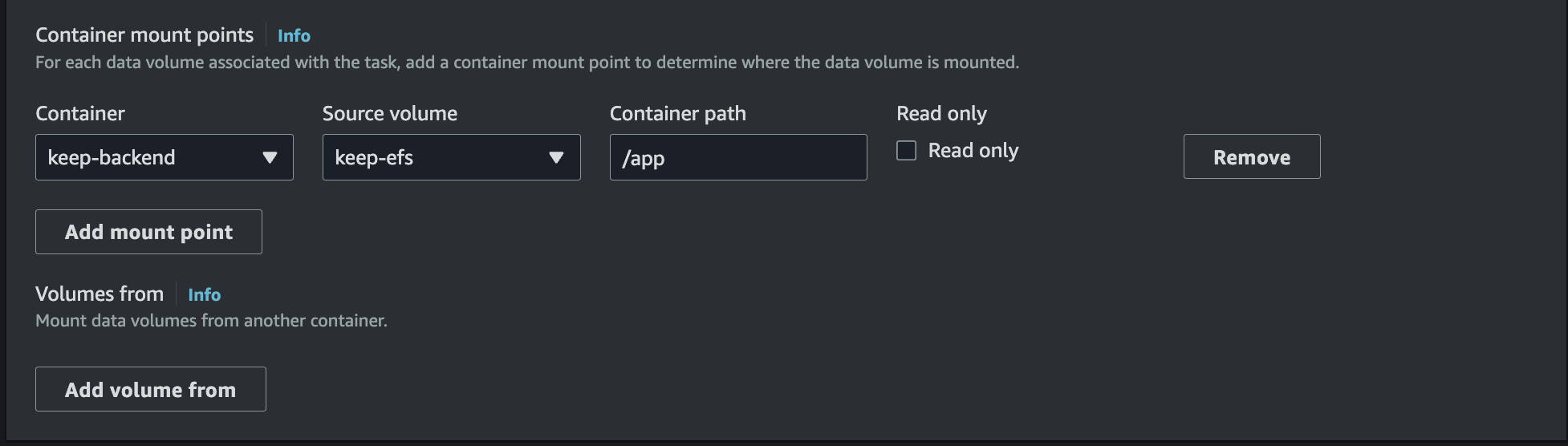
 * Container mount points:
* Container: select the container you just created
* Source volume: keep-efs
* Container path: /app
* Make sure that Readonly is not selected
* Container mount points:
* Container: select the container you just created
* Source volume: keep-efs
* Container path: /app
* Make sure that Readonly is not selected
 * Review and create your task definition.
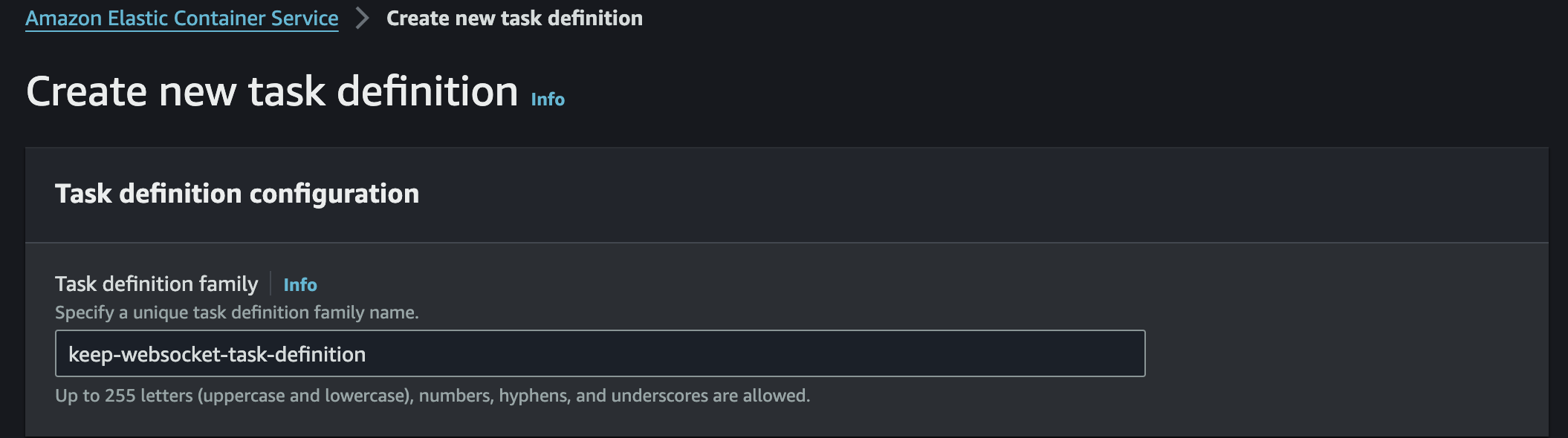
### Task Definition 3 (Websocket): (This step is optional if you want to have automatic refresh of the alerts feed)
* Configure your container definitions as below:
* Task Definition Family: keep-frontend
* Review and create your task definition.
### Task Definition 3 (Websocket): (This step is optional if you want to have automatic refresh of the alerts feed)
* Configure your container definitions as below:
* Task Definition Family: keep-frontend
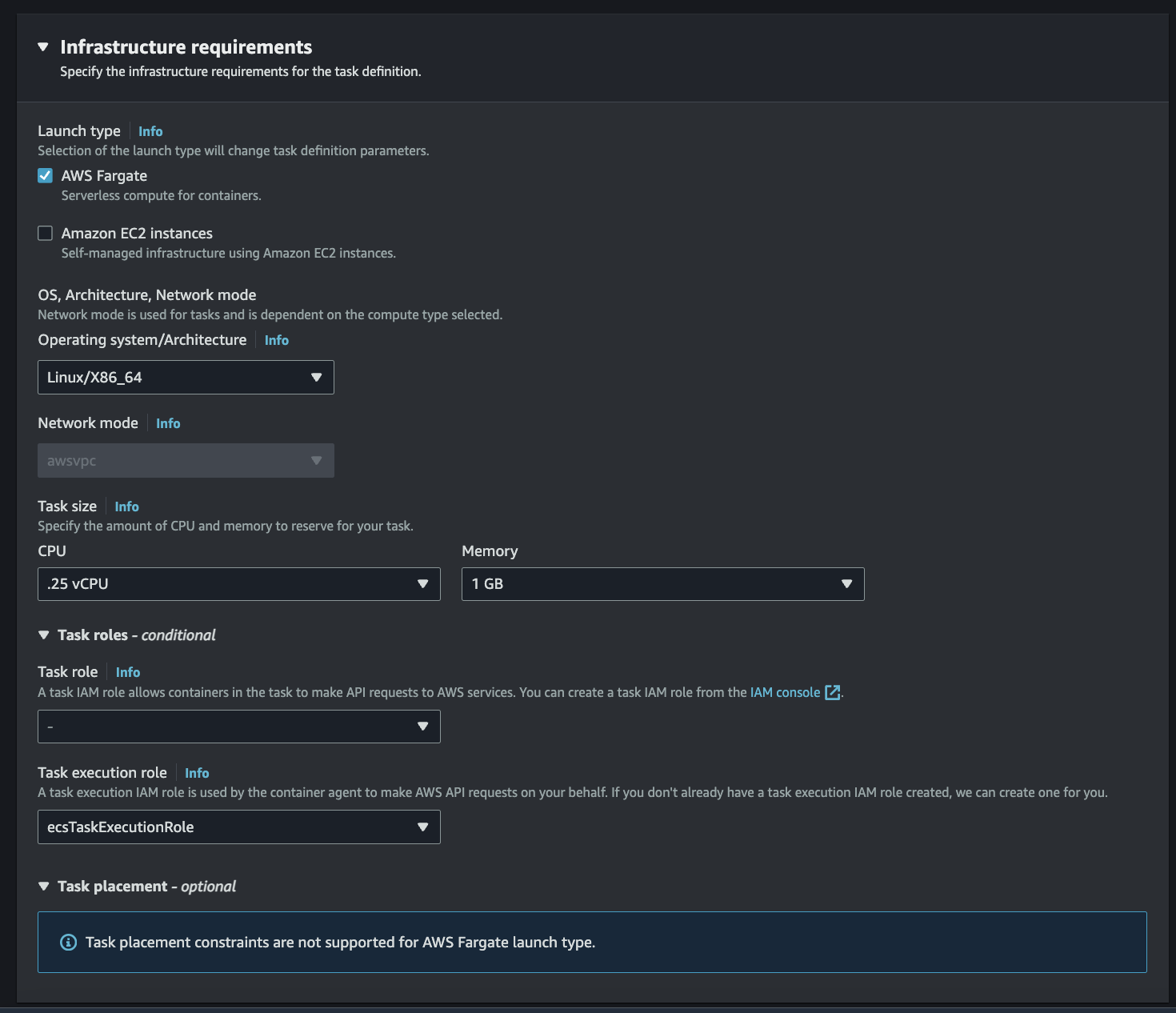
 * Infrastructure Requirements:
* Launch Type: AWS Fargate
* OS, Architecture, Network mode: Linux/X86\_64
* Task Size:
* CPU: 0.25 vCPU
* Memory: 1 GB
* Task Role and Task Execution Role are optional if you plan on using secrets manager for example then create a task execution role to allow access to the secret manager you created.
* Infrastructure Requirements:
* Launch Type: AWS Fargate
* OS, Architecture, Network mode: Linux/X86\_64
* Task Size:
* CPU: 0.25 vCPU
* Memory: 1 GB
* Task Role and Task Execution Role are optional if you plan on using secrets manager for example then create a task execution role to allow access to the secret manager you created.
 * Container Details:
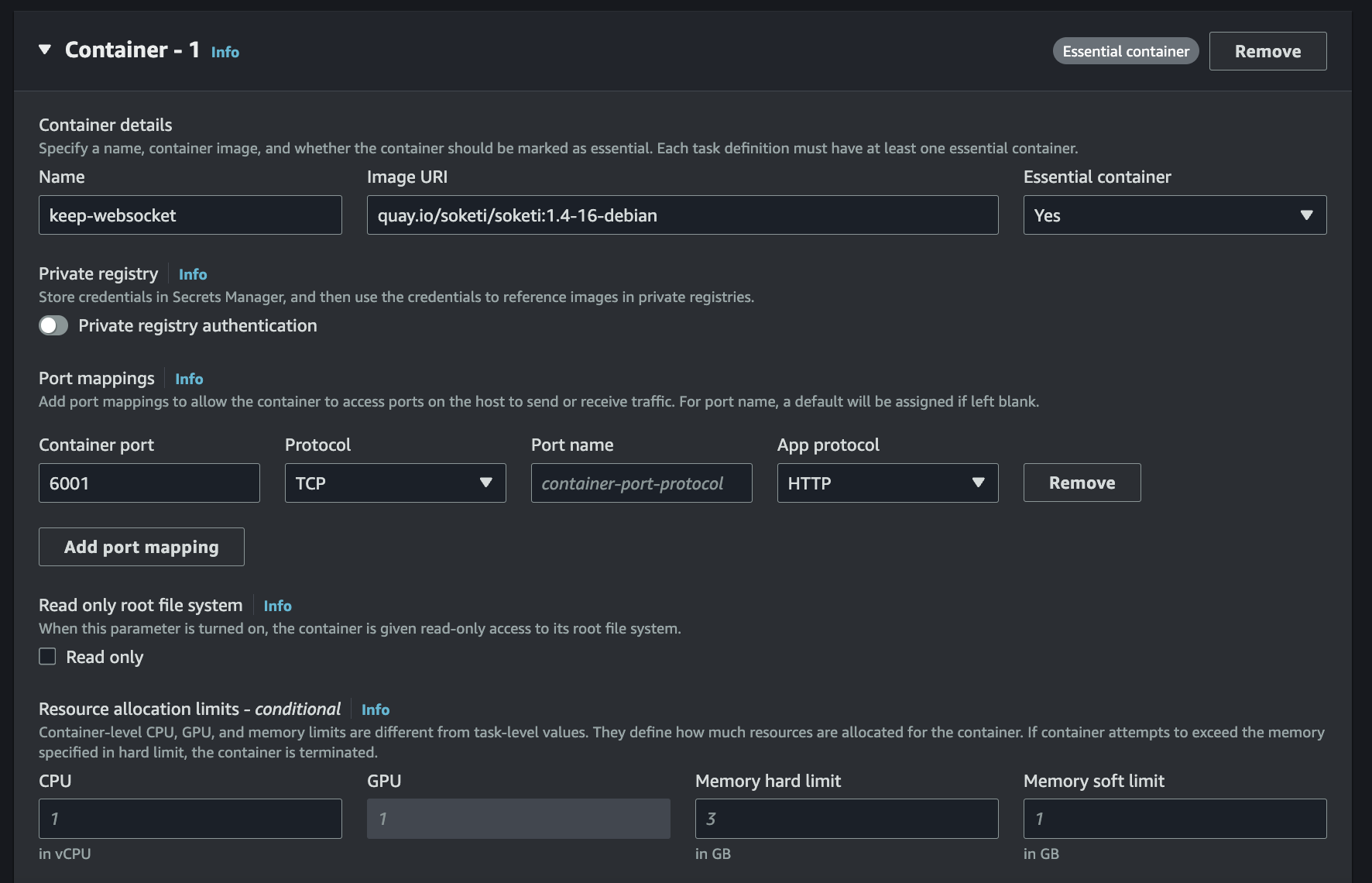
* Name: keep-websocket
* Image URI: quay.io/soketi/soketi:1.4-16-debian
* Ports Mapping:
* Container Port: 6001
* Protocol: TCP
* Container Details:
* Name: keep-websocket
* Image URI: quay.io/soketi/soketi:1.4-16-debian
* Ports Mapping:
* Container Port: 6001
* Protocol: TCP
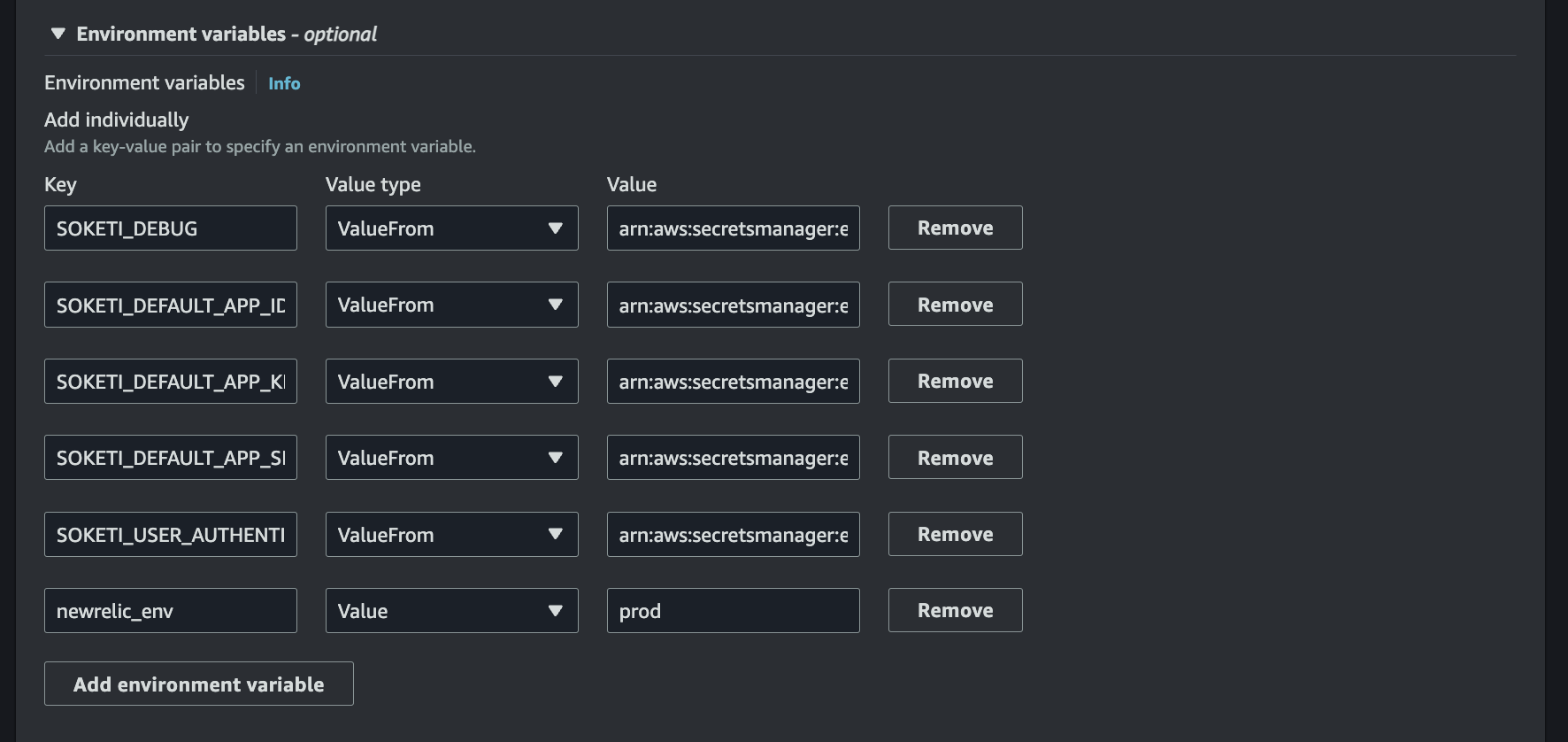
 * Environment Variables: (This can be static or you can use parameter store or secrets manager)
* SOKETI\_DEBUG
* SOKETI\_DEFAULT\_APP\_ID
* SOKETI\_DEFAULT\_APP\_KEY
* SOKETI\_DEFAULT\_APP\_SECRET
* SOKETI\_USER\_AUTHENTICATION\_TIMEOUT
* Environment Variables: (This can be static or you can use parameter store or secrets manager)
* SOKETI\_DEBUG
* SOKETI\_DEFAULT\_APP\_ID
* SOKETI\_DEFAULT\_APP\_KEY
* SOKETI\_DEFAULT\_APP\_SECRET
* SOKETI\_USER\_AUTHENTICATION\_TIMEOUT
 * Review and create your task definition.
## Step 4: Create Keep Service
* In the ECS dashboard, navigate to the "Clusters" section in the left sidebar.
* Select the cluster you want to deploy your service to.
* Click on the "Create" button next to "Services".
* Configure your service settings.
* Review and create your service.
## Step 5: Monitor Your Service
* Once your service is created, monitor its status in the ECS dashboard.
* You can view task status, service events, and other metrics to ensure your service is running correctly.
* Review and create your task definition.
## Step 4: Create Keep Service
* In the ECS dashboard, navigate to the "Clusters" section in the left sidebar.
* Select the cluster you want to deploy your service to.
* Click on the "Create" button next to "Services".
* Configure your service settings.
* Review and create your service.
## Step 5: Monitor Your Service
* Once your service is created, monitor its status in the ECS dashboard.
* You can view task status, service events, and other metrics to ensure your service is running correctly.