> ## Documentation Index
> Fetch the complete documentation index at: https://docs.keephq.dev/llms.txt
> Use this file to discover all available pages before exploring further.
# Overview
Keep's incident management system provides a comprehensive solution for handling, tracking, and resolving operational incidents. This system helps teams effectively manage incidents from detection through resolution, ensuring minimal downtime and efficient collaboration.
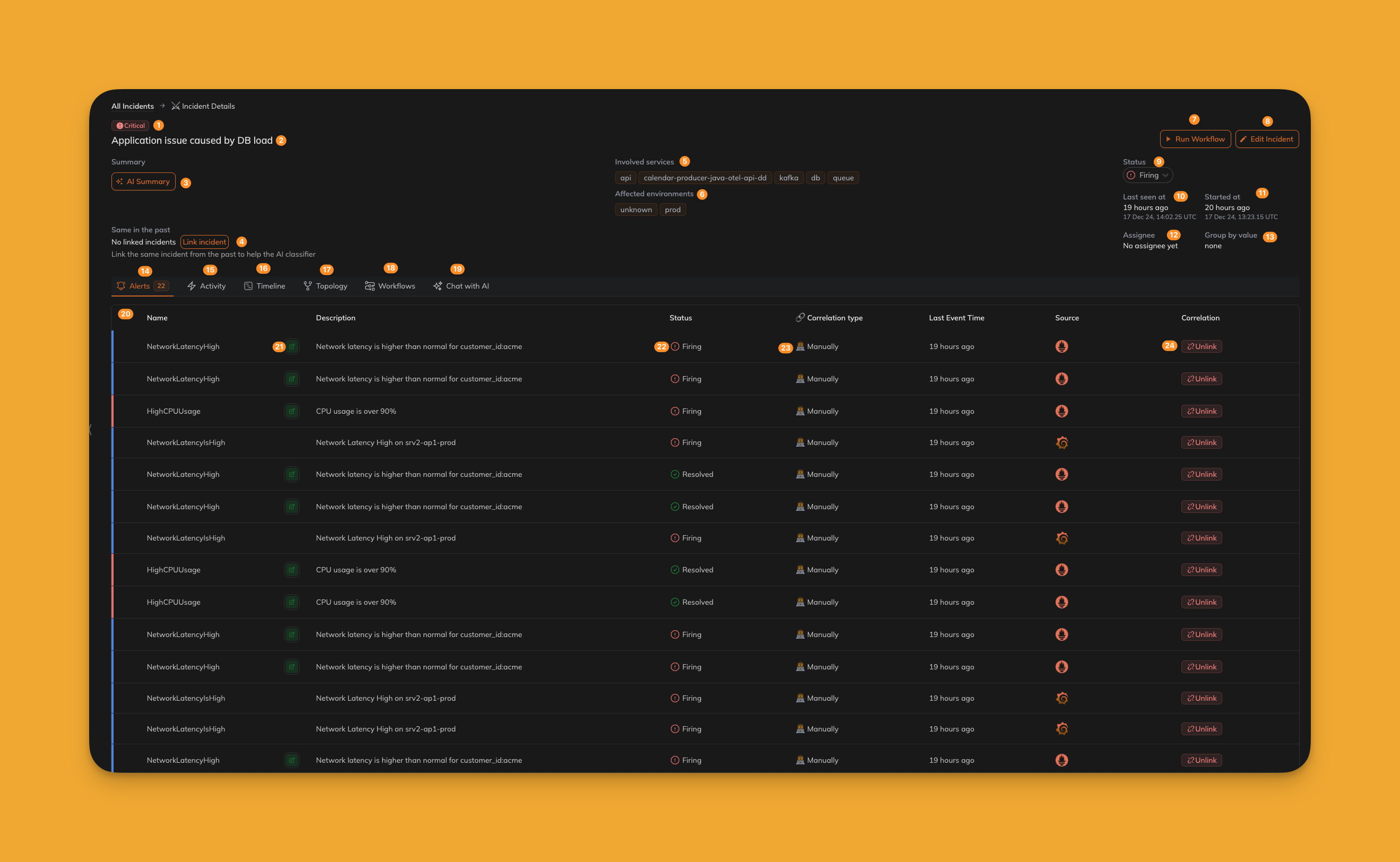 ### (1) Incident Severity
Displays the severity of the incident, helping teams prioritize and focus on the most critical issues.
### (2) Incident Name
The unique name or identifier of the incident for easy reference and tracking.
### (3) Incident Summary (+ AI Summary)
A brief overview of the incident, optionally enhanced with AI-generated summaries to provide deeper insights.
### (4) Link Similar Incidents
Connects related incidents for better visibility into recurring or interconnected issues.
### (5) Involved Services
Lists the services affected by the incident, allowing teams to understand the scope of the impact.
### (6) Affected Environments
Specifies the environments (e.g., production, staging) impacted by the incident.
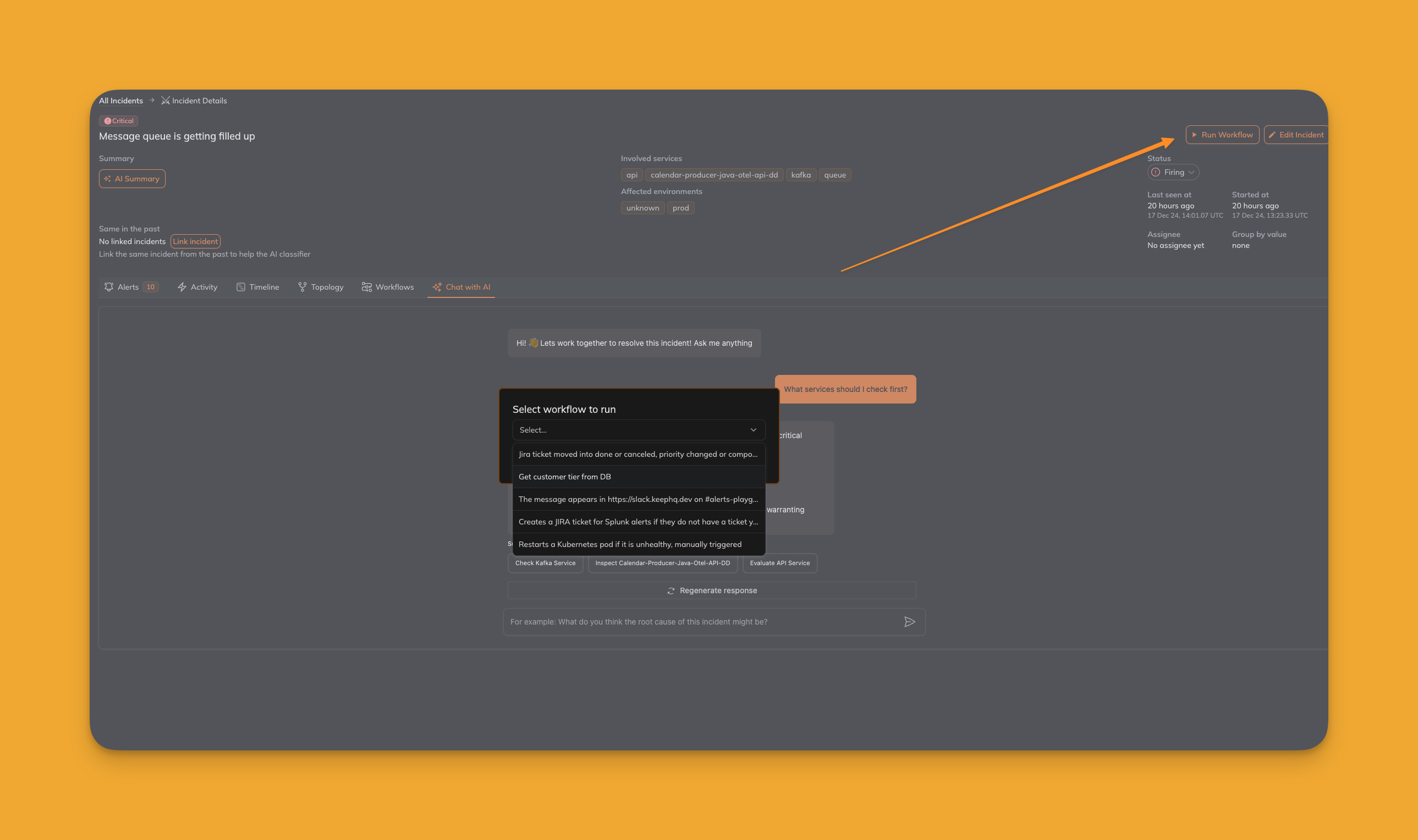
### (7) Run Workflow
Quickly initiate workflows to address the incident, such as creating tickets, notifying teams, or executing remediation steps.
### (1) Incident Severity
Displays the severity of the incident, helping teams prioritize and focus on the most critical issues.
### (2) Incident Name
The unique name or identifier of the incident for easy reference and tracking.
### (3) Incident Summary (+ AI Summary)
A brief overview of the incident, optionally enhanced with AI-generated summaries to provide deeper insights.
### (4) Link Similar Incidents
Connects related incidents for better visibility into recurring or interconnected issues.
### (5) Involved Services
Lists the services affected by the incident, allowing teams to understand the scope of the impact.
### (6) Affected Environments
Specifies the environments (e.g., production, staging) impacted by the incident.
### (7) Run Workflow
Quickly initiate workflows to address the incident, such as creating tickets, notifying teams, or executing remediation steps.
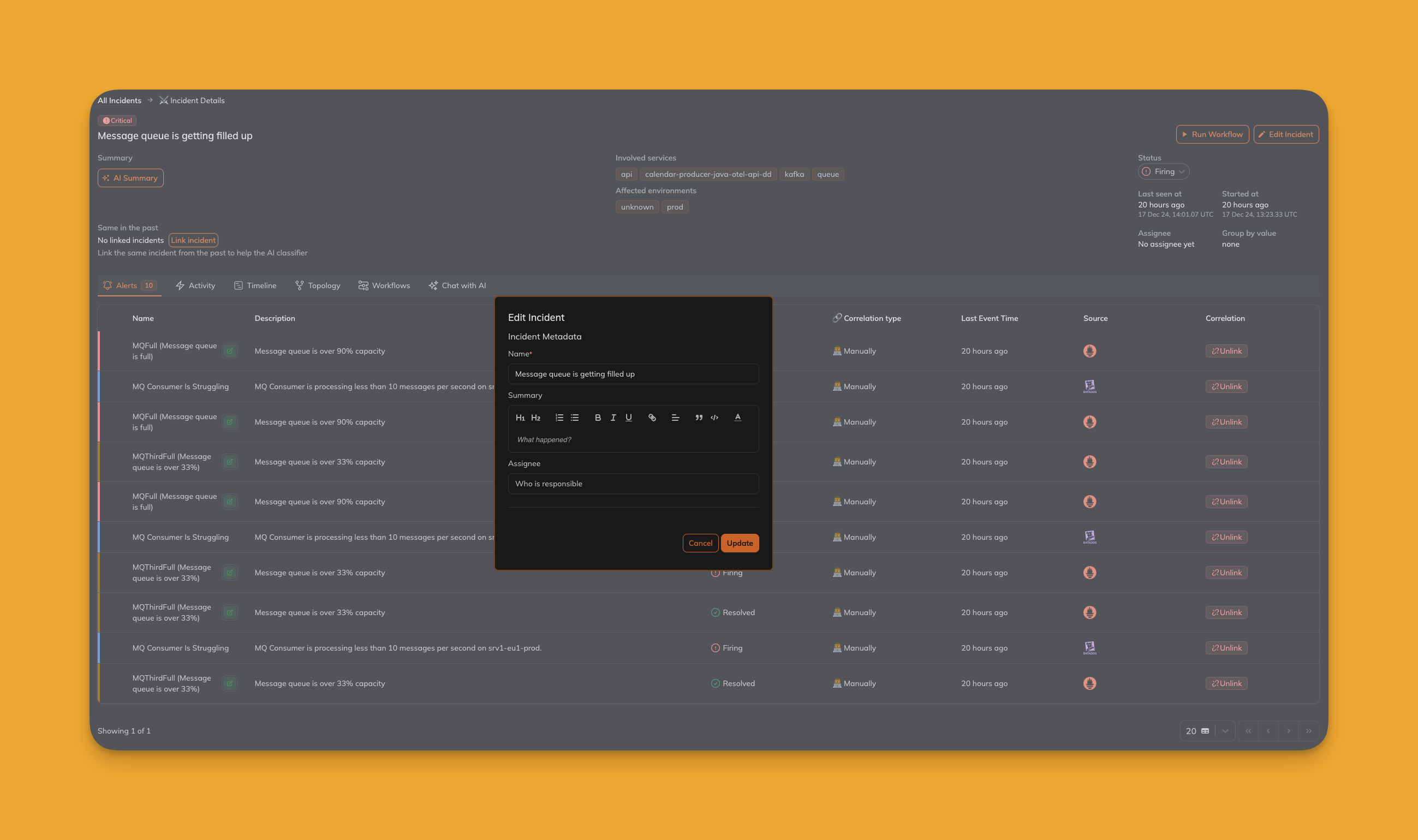
 ### (8) Edit Incident
Allows modification of incident details, such as severity, name, or involved services, to keep information up-to-date.
### (8) Edit Incident
Allows modification of incident details, such as severity, name, or involved services, to keep information up-to-date.
 ### (9) Incident Status
Indicates the current status of the incident (e.g., open, resolved, acknowledged).
### (10) Incident Last Seen At
Records the most recent timestamp when the incident was observed, providing context for its activity.
### (11) Incident Started At
Indicates when the incident was first detected, helping establish timelines for resolution.
### (12) Incident Assignee
Displays the individual or team responsible for resolving the incident, promoting accountability.
### (13) Incident Group By Value
Groups incidents based on a specific attribute, such as service, environment, or severity, for better organization.
### (14) Incident Related Alerts
Lists all alerts linked to the incident, offering a complete view of its underlying causes.
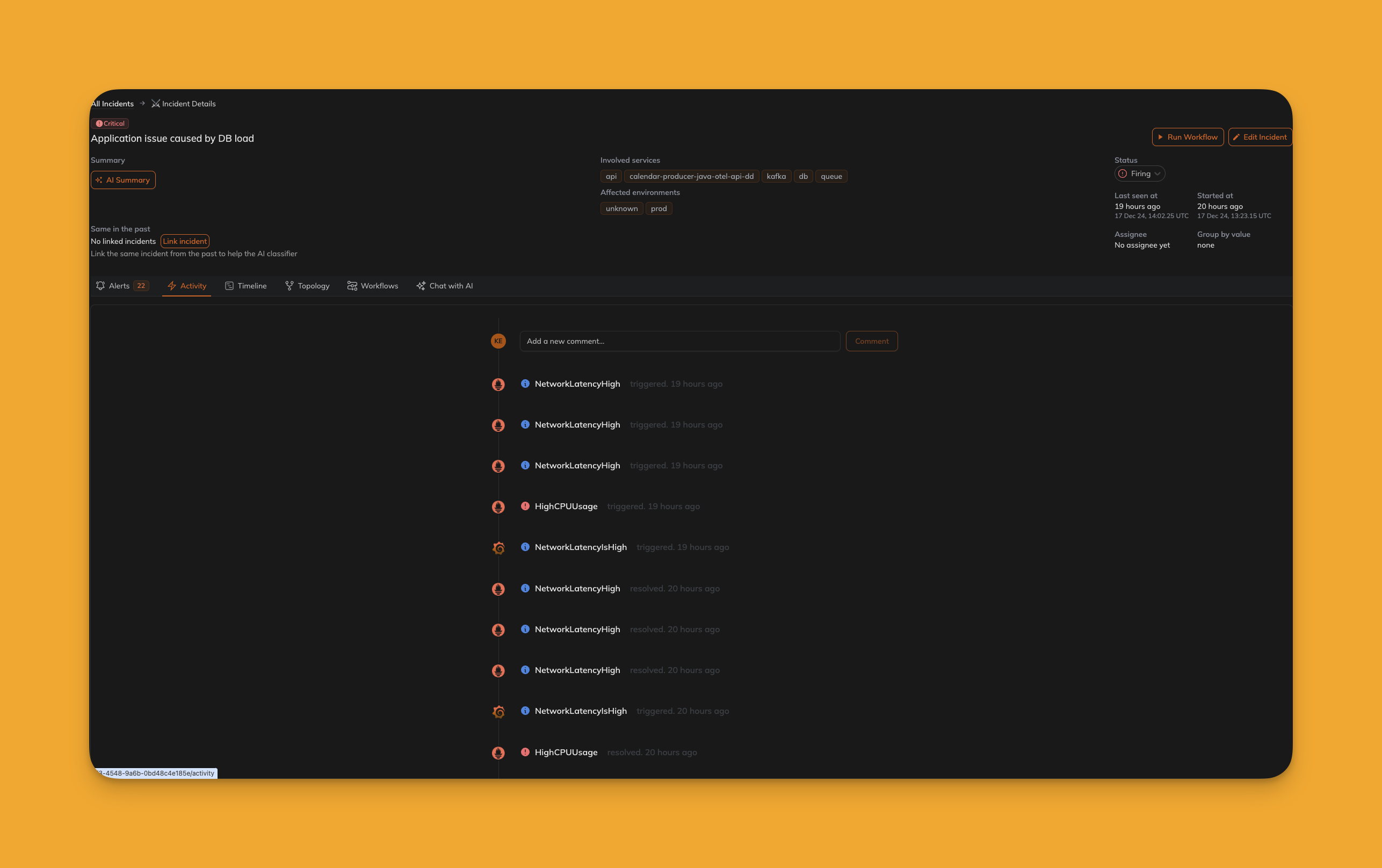
### (15) Incident Activity
Tracks all activities and updates related to the incident, enabling detailed audits and reviews.
### (9) Incident Status
Indicates the current status of the incident (e.g., open, resolved, acknowledged).
### (10) Incident Last Seen At
Records the most recent timestamp when the incident was observed, providing context for its activity.
### (11) Incident Started At
Indicates when the incident was first detected, helping establish timelines for resolution.
### (12) Incident Assignee
Displays the individual or team responsible for resolving the incident, promoting accountability.
### (13) Incident Group By Value
Groups incidents based on a specific attribute, such as service, environment, or severity, for better organization.
### (14) Incident Related Alerts
Lists all alerts linked to the incident, offering a complete view of its underlying causes.
### (15) Incident Activity
Tracks all activities and updates related to the incident, enabling detailed audits and reviews.
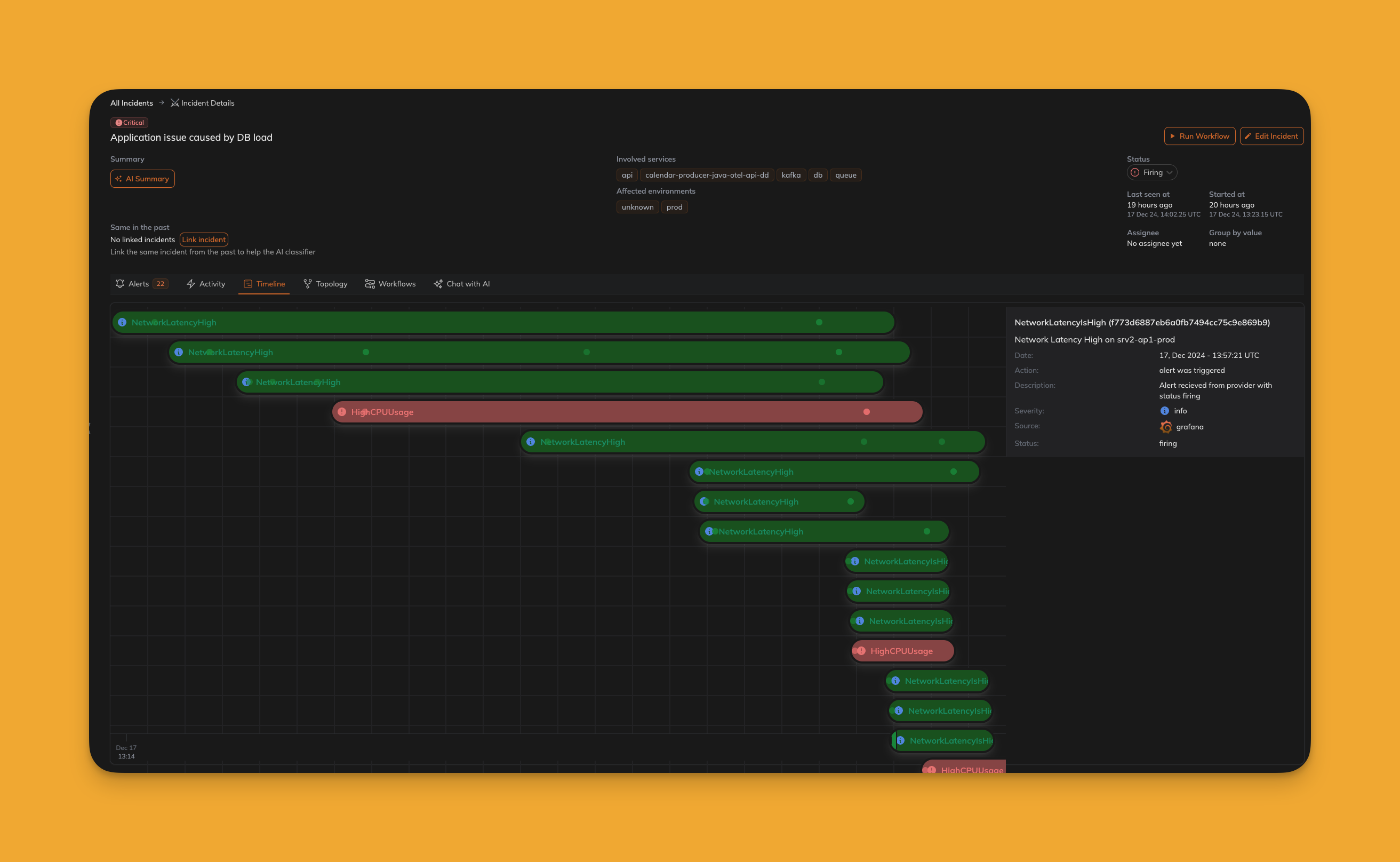
 ### (16) Incident Timeline
Provides a chronological view of the incident's lifecycle, including updates, actions, and status changes.
### (16) Incident Timeline
Provides a chronological view of the incident's lifecycle, including updates, actions, and status changes.
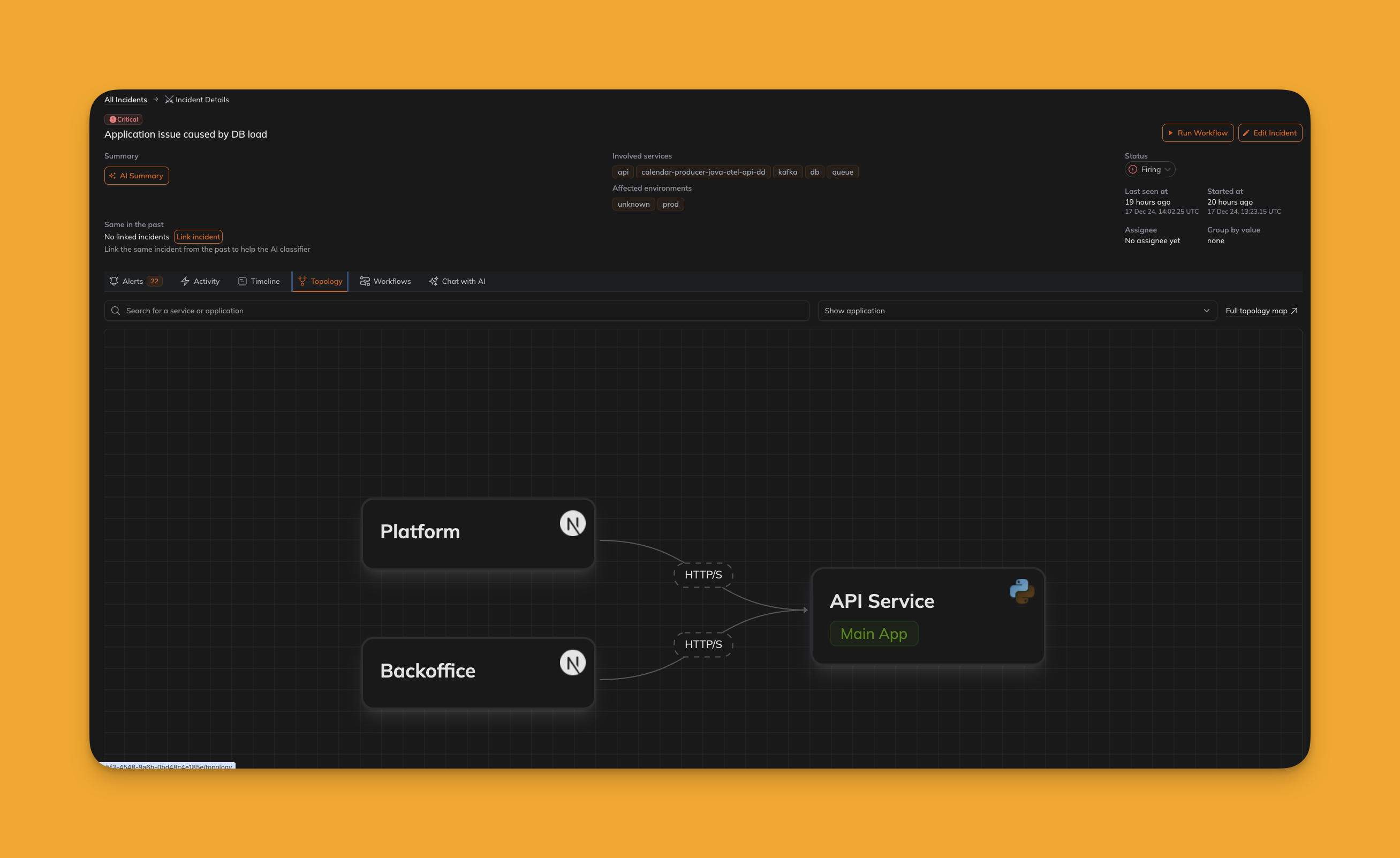
 ### (17) Incident Topology
Visualizes the relationships between affected components, services, and infrastructure in a topology map.
### (17) Incident Topology
Visualizes the relationships between affected components, services, and infrastructure in a topology map.
 ### (18) Incident Workflows
Lists workflows associated with the incident, showing actions taken or available options for resolution.
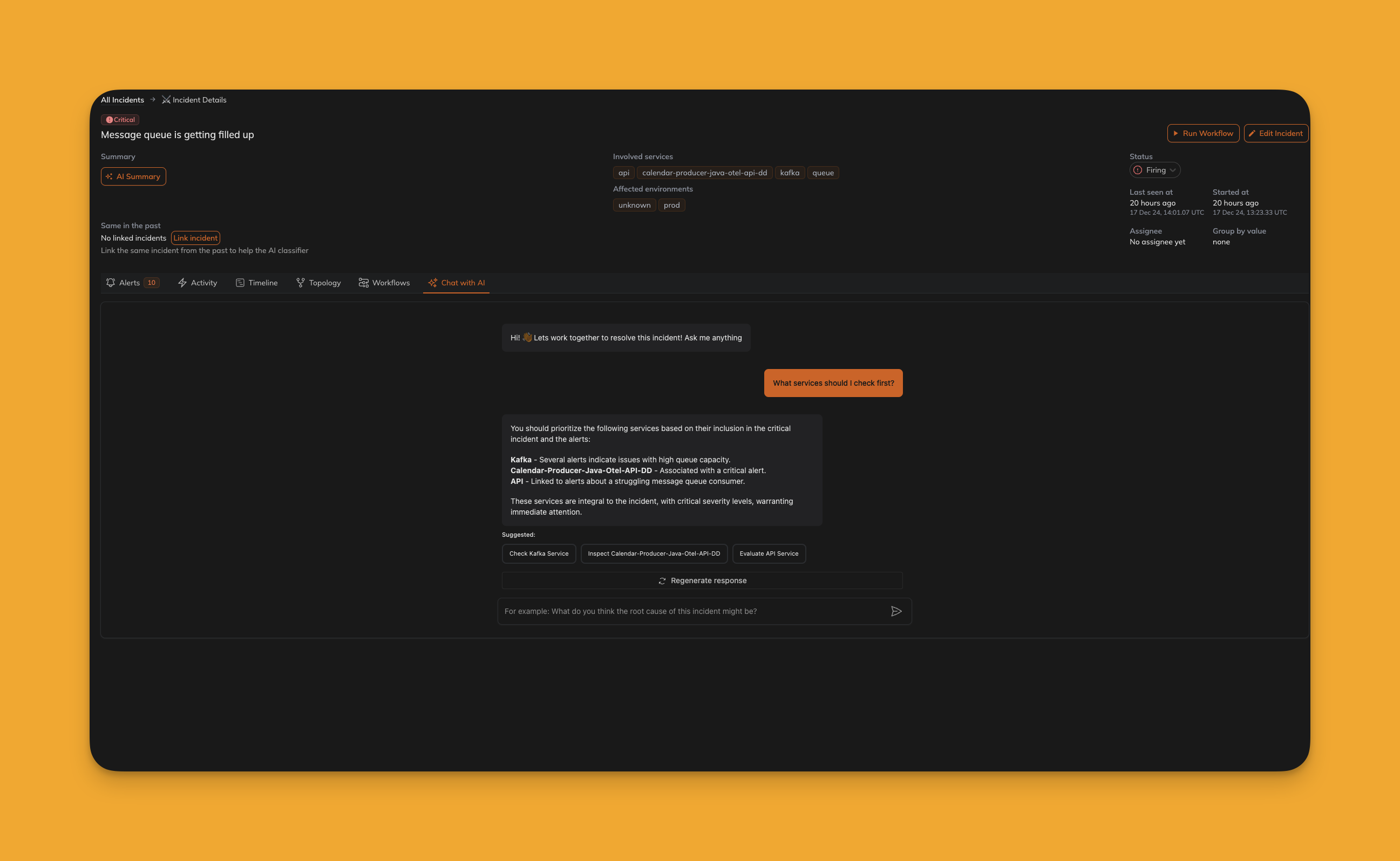
### (19) Incident Chat with AI (Incident Copilot)
Engage with AI-powered chat for guidance, insights, or recommended actions related to the incident.
### (18) Incident Workflows
Lists workflows associated with the incident, showing actions taken or available options for resolution.
### (19) Incident Chat with AI (Incident Copilot)
Engage with AI-powered chat for guidance, insights, or recommended actions related to the incident.
 ### (20) Incident Alert List
Displays a detailed list of alerts contributing to the incident, with metadata for each alert.
### (21) Incident Alert Link
Provides quick access to the original monitoring tool for a specific alert.
### (22) Incident Alert Status
Shows the current status of each alert, such as acknowledged, resolved, or firing.
### (23) Incident Correlation Type
Indicates how the incident was correlated: manually, via AI, or by rule-based logic.
### (24) Incident Alert Unlink
Enables unlinking specific alerts from the incident if they are found to be unrelated.
***
### (20) Incident Alert List
Displays a detailed list of alerts contributing to the incident, with metadata for each alert.
### (21) Incident Alert Link
Provides quick access to the original monitoring tool for a specific alert.
### (22) Incident Alert Status
Shows the current status of each alert, such as acknowledged, resolved, or firing.
### (23) Incident Correlation Type
Indicates how the incident was correlated: manually, via AI, or by rule-based logic.
### (24) Incident Alert Unlink
Enables unlinking specific alerts from the incident if they are found to be unrelated.
***