> ## Documentation Index
> Fetch the complete documentation index at: https://docs.keephq.dev/llms.txt
> Use this file to discover all available pages before exploring further.
# Azure Monitor
> Azure Monitorg provider allows you to get alerts from Azure Monitor via webhooks.
## Overview
The Azure Monitor Provider integrates Keep with Azure Monitor, allowing you to receive alerts within Keep's platform. By setting up a webhook in Azure, you can ensure that critical alerts are sent to Keep, allowing for efficient monitoring and response.
## Connecting Azure Monitor to Keep
Connecting Azure Monitor to Keep involves creating an Action Group in Azure, adding a webhook action, and configuring the Alert Rule to use the new Action Group.
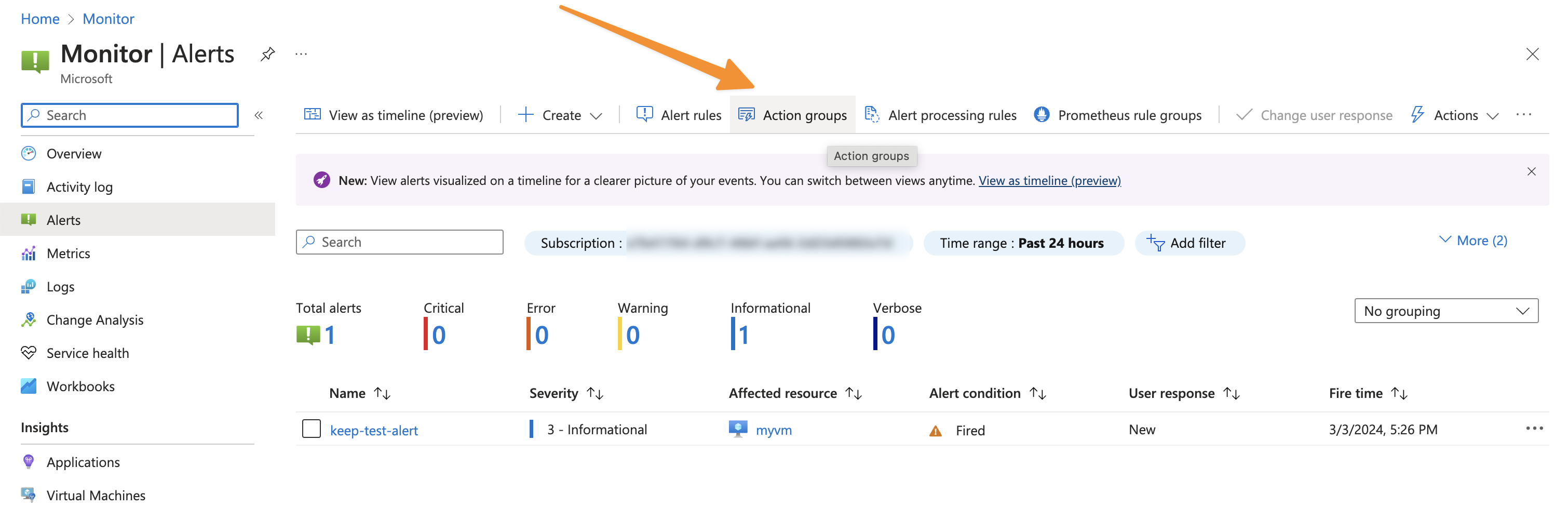
### Step 1: Navigate an Action Group
1. Log in to your Azure portal.
2. Navigate to **Monitor** > **Alerts** > **Action groups**.
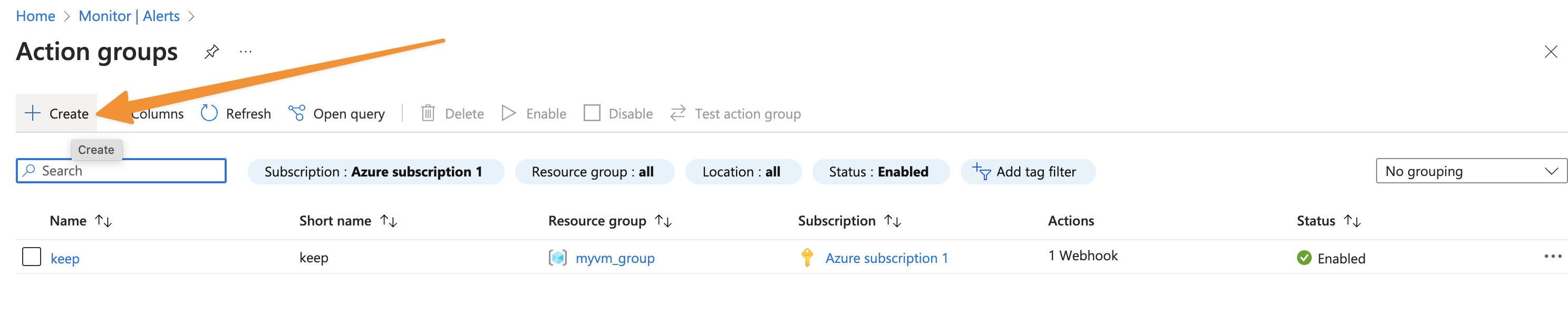
 ### Step 2: Create new Action Group
1. Click on **+ Create**.
### Step 2: Create new Action Group
1. Click on **+ Create**.
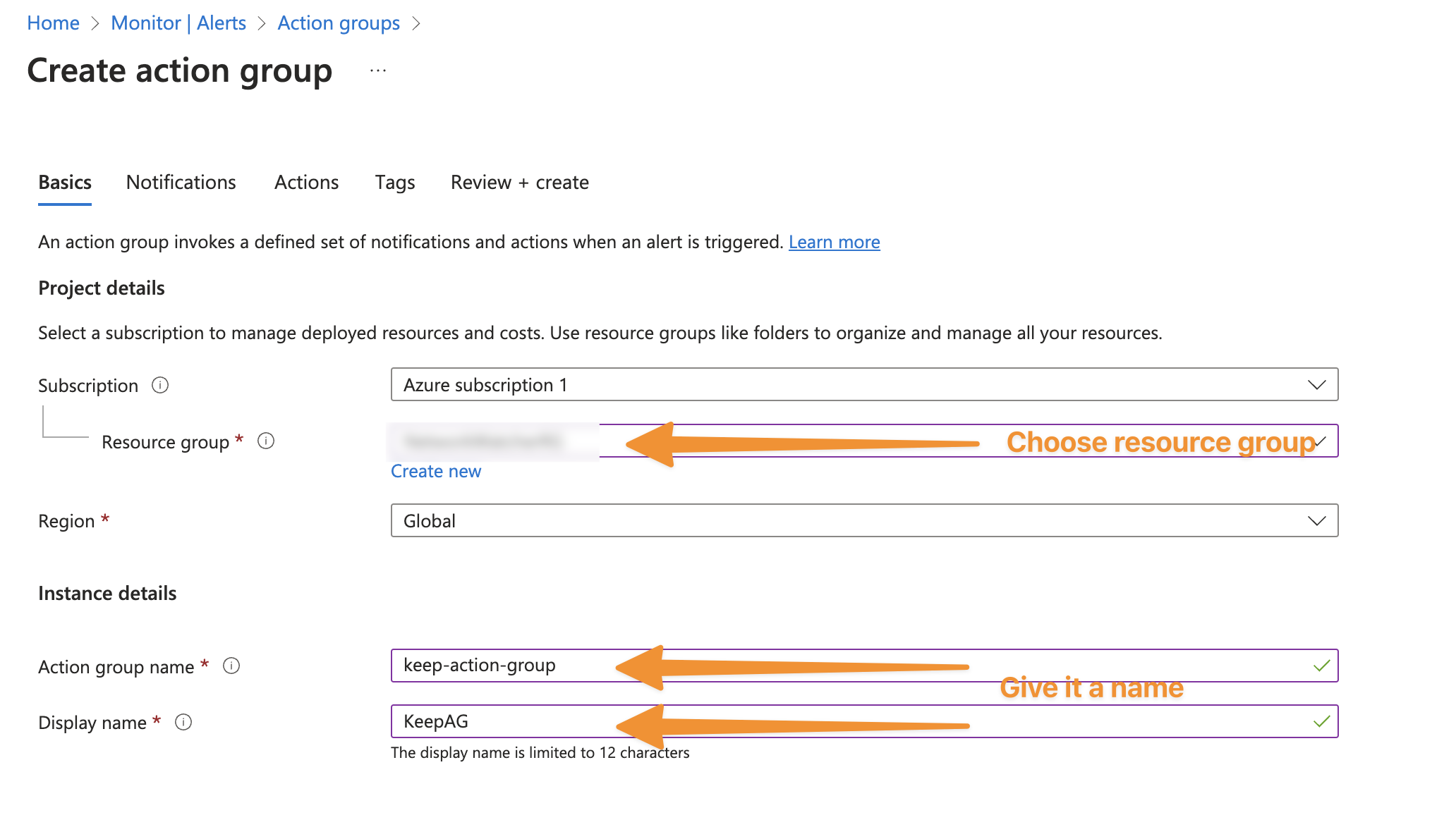
 ### Step 3: Fill Action Group details
1. Choose the Subscription and Resource Group.
2. Give the Action Group an indicative name.
### Step 3: Fill Action Group details
1. Choose the Subscription and Resource Group.
2. Give the Action Group an indicative name.
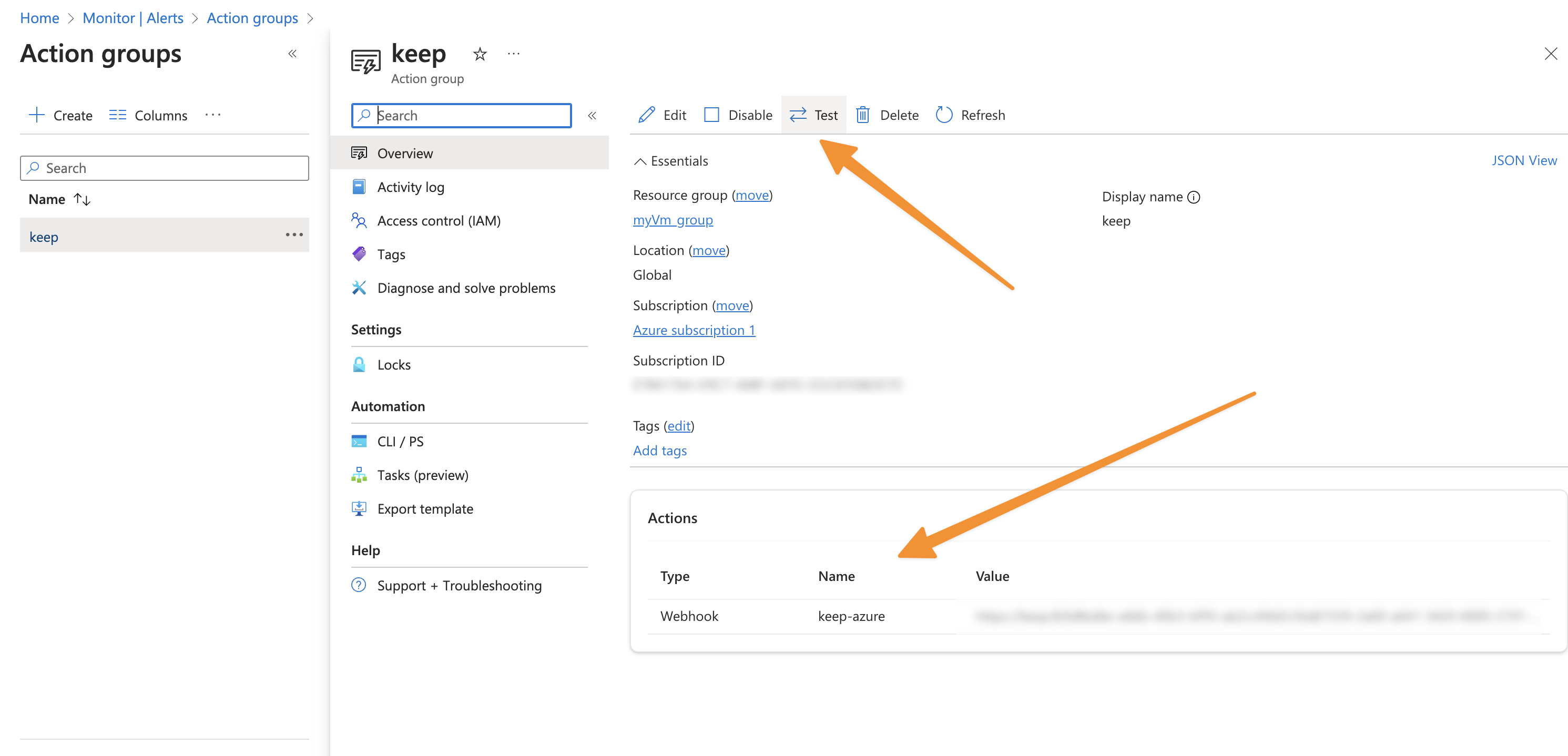
 ### Step 4: Go to "Action" and add Keep as a Webhook
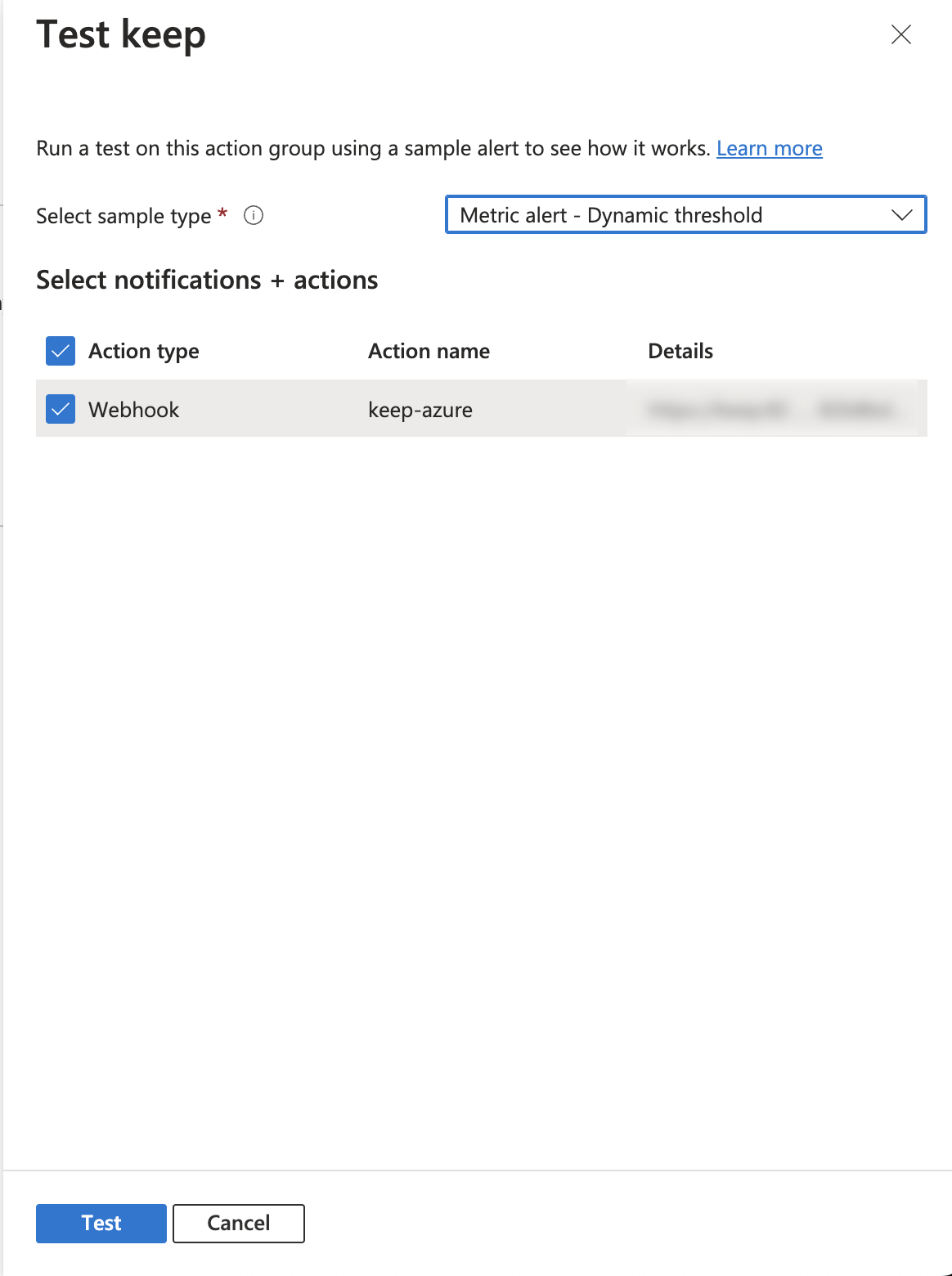
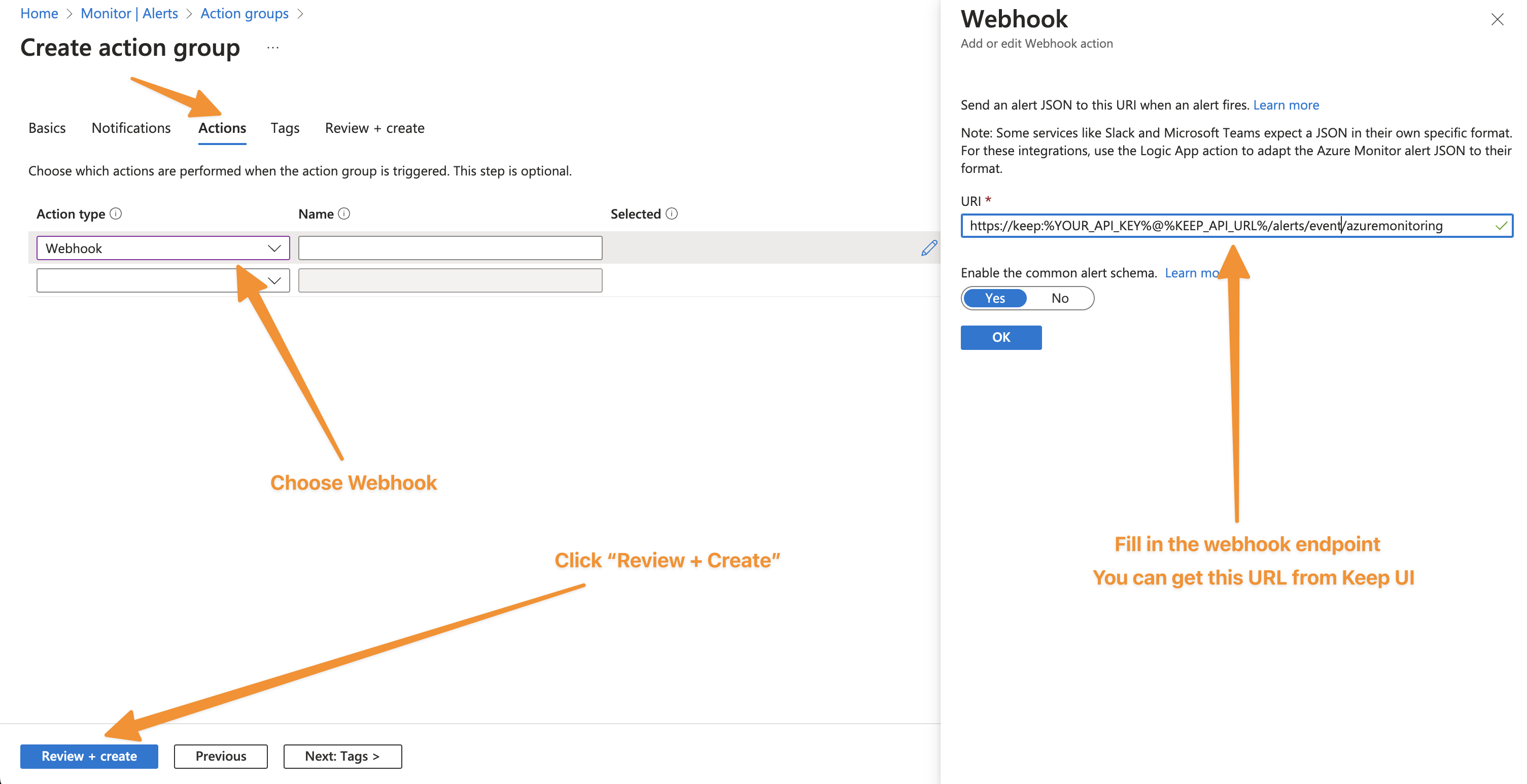 ### Step 5: Test Keep Webhook action
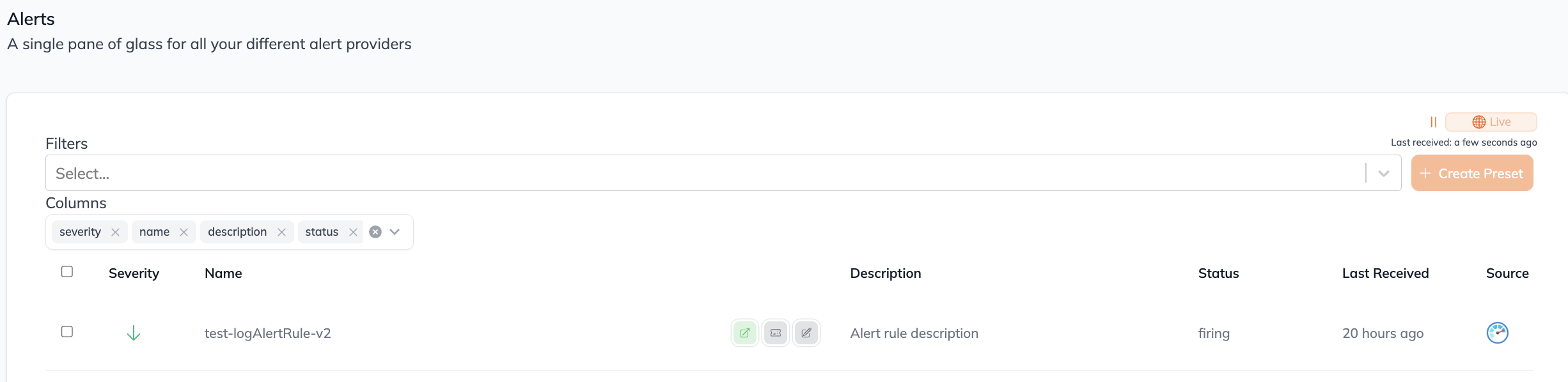
 ### Step 6: View the alert in Keep
 ## In workflows
This provider can't be used as a "step" or "action" in workflows. If you want to use it, please let us know by creating an issue in the [GitHub repository](https://github.com/keephq/keep/issues).
## Connecting via Webhook (omnidirectional)
This provider supports webhooks.
To send alerts from Azure Monitor to Keep, Use the following webhook url to configure Azure Monitor send alerts to Keep:
1. In Azure Monitor, create a new Action Group.
2. In the Action Group, add a new action of type "Webhook".
3. In the Webhook action, configure the webhook with the following settings.
* **Name**: keep-azuremonitoring-webhook-integration
* **URL**: Your Keep Backend URL
4. Save the Action Group.
5. In the Alert Rule, configure the Action Group to use the Action Group created in step 1.
6. Save the Alert Rule.
7. Test the Alert Rule to ensure that the alerts are being sent to Keep.
## Useful Links
* [Azure Monitor alert webhook](https://learn.microsoft.com/en-us/azure/azure-monitor/alerts/alerts-webhooks)
* [Azure Monitor alert payload](https://learn.microsoft.com/en-us/azure/azure-monitor/alerts/alerts-payload-samples)
* [Azure Monitor action groups](https://learn.microsoft.com/en-us/azure/azure-monitor/alerts/action-groups)
## In workflows
This provider can't be used as a "step" or "action" in workflows. If you want to use it, please let us know by creating an issue in the [GitHub repository](https://github.com/keephq/keep/issues).
## Connecting via Webhook (omnidirectional)
This provider supports webhooks.
To send alerts from Azure Monitor to Keep, Use the following webhook url to configure Azure Monitor send alerts to Keep:
1. In Azure Monitor, create a new Action Group.
2. In the Action Group, add a new action of type "Webhook".
3. In the Webhook action, configure the webhook with the following settings.
* **Name**: keep-azuremonitoring-webhook-integration
* **URL**: Your Keep Backend URL
4. Save the Action Group.
5. In the Alert Rule, configure the Action Group to use the Action Group created in step 1.
6. Save the Alert Rule.
7. Test the Alert Rule to ensure that the alerts are being sent to Keep.
## Useful Links
* [Azure Monitor alert webhook](https://learn.microsoft.com/en-us/azure/azure-monitor/alerts/alerts-webhooks)
* [Azure Monitor alert payload](https://learn.microsoft.com/en-us/azure/azure-monitor/alerts/alerts-payload-samples)
* [Azure Monitor action groups](https://learn.microsoft.com/en-us/azure/azure-monitor/alerts/action-groups)