> ## Documentation Index
> Fetch the complete documentation index at: https://docs.keephq.dev/llms.txt
> Use this file to discover all available pages before exploring further.
# Kibana
> Kibana provider allows you get alerts from Kibana Alerting via webhooks.
Please note that when installing Kibana with Webhook auto instrumentation,
Keep installs itself as a Connector, adds itself as an Action to all available
Kibana Alert Rules (For each alert, On status changes, when: Alert/No
Data/Recovered) and to all available Kibana Watcher rules as a Webhook action.
For more information, feel free to reach out on our Slack Community.
## Authentication
This provider requires authentication.
* **api\_key**: Kibana API Key (required: True, sensitive: True)
* **kibana\_host**: Kibana Host (required: True, sensitive: False)
* **kibana\_port**: Kibana Port (defaults to 9243) (required: False, sensitive: False)
Certain scopes may be required to perform specific actions or queries via the provider. Below is a summary of relevant scopes and their use cases:
* **rulesSettings:read**: Read alerts (mandatory)
* **rulesSettings:write**: Modify alerts (mandatory)
* **actions:read**: Read connectors (mandatory)
* **actions:write**: Write connectors (mandatory)
## In workflows
This provider can't be used as a "step" or "action" in workflows. If you want to use it, please let us know by creating an issue in the [GitHub repository](https://github.com/keephq/keep/issues).
## Connecting with the Provider
### Kibana Host
Simply copy the hostname from the URL bar in your browser:
 ### API Key
To obtain a Kibana API key, follow these steps:
1. Log in to your Kibana account.
2. Click Stack Management
3. Click on Security
4. Click on API Keys
### API Key
To obtain a Kibana API key, follow these steps:
1. Log in to your Kibana account.
2. Click Stack Management
3. Click on Security
4. Click on API Keys
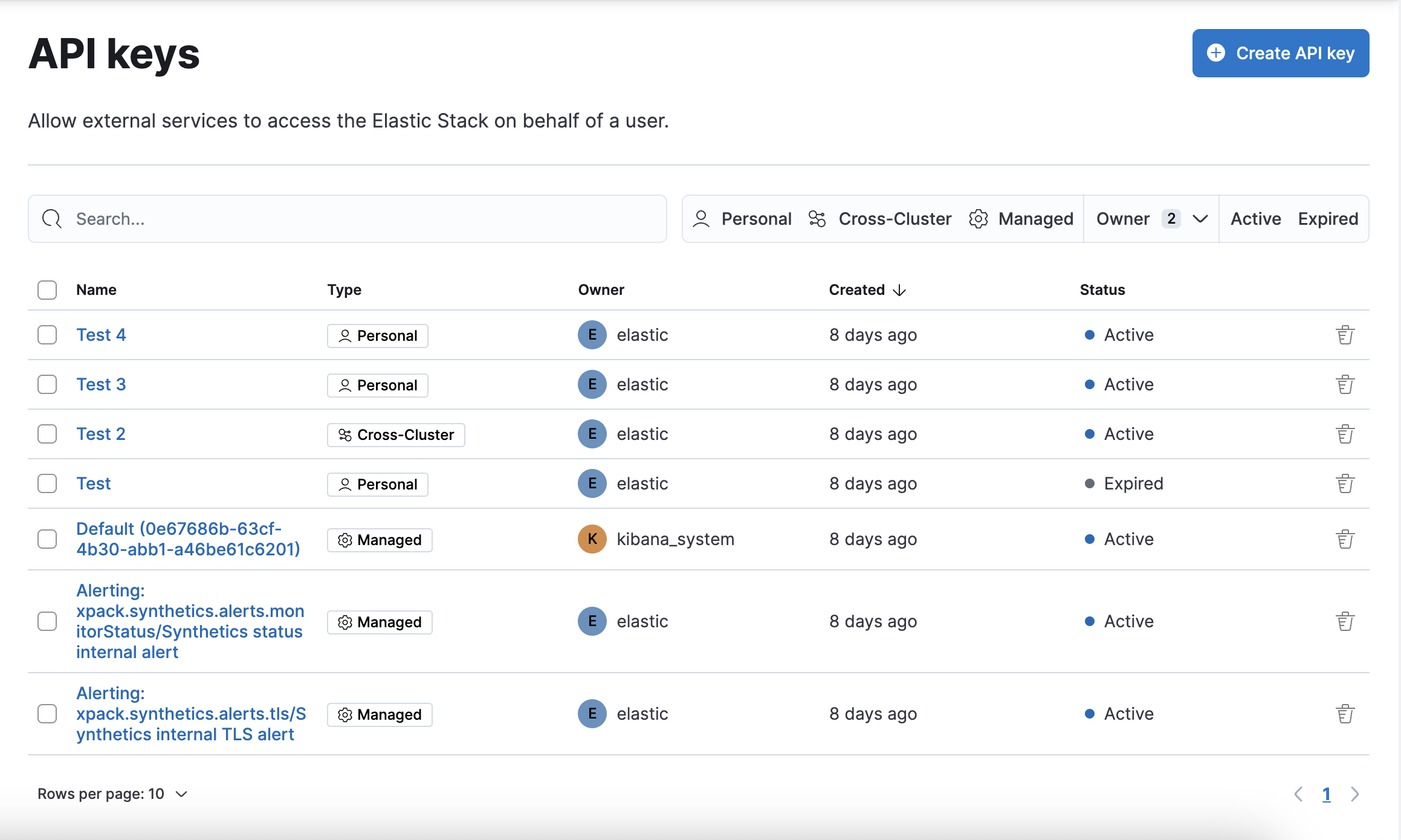 1. Click on the top right `Create API key` button
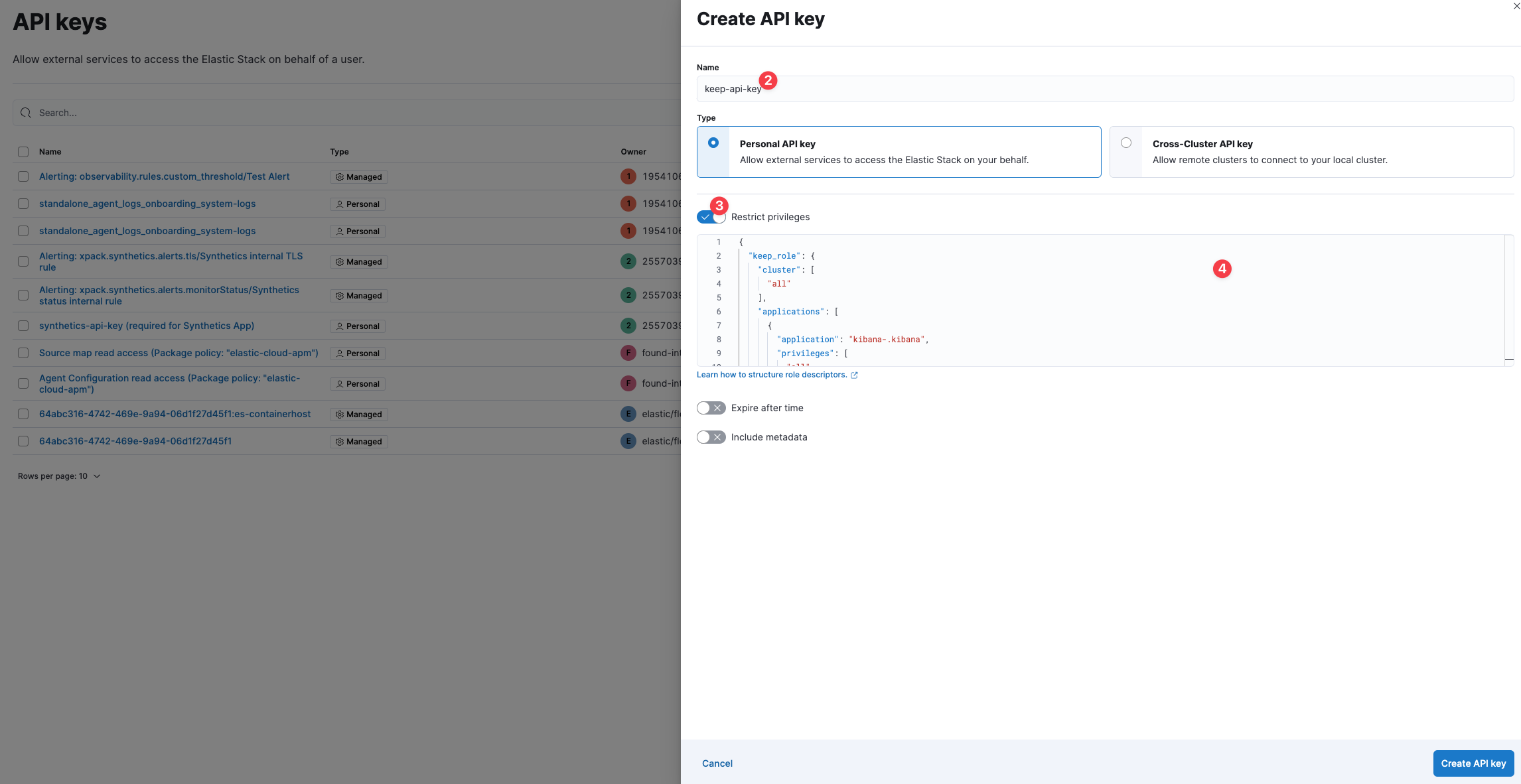
2. Give the API key and indicative name (e.g. keep-api-key)
3. Make sure the `Restrict Permissions` toggle is not toggeled
4. On the bottom right corner, click on `Create API key`
1. Click on the top right `Create API key` button
2. Give the API key and indicative name (e.g. keep-api-key)
3. Make sure the `Restrict Permissions` toggle is not toggeled
4. On the bottom right corner, click on `Create API key`
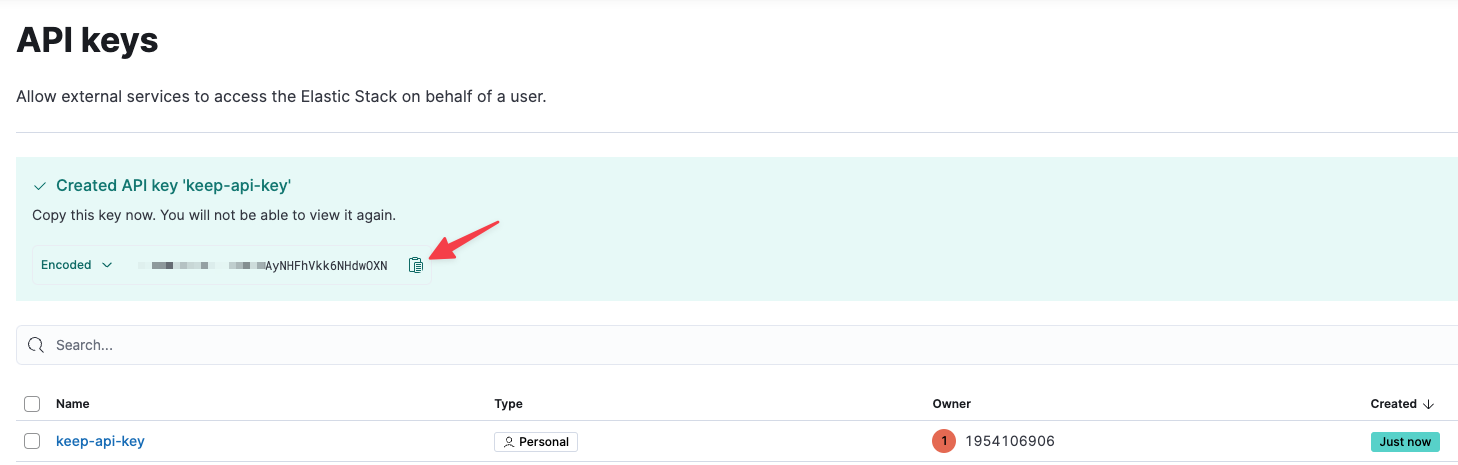
 6. Copy the newly created encoded API key and you're set!
 ## Fingerprinting
Fingerprints in Kibana are simply the alert instance ID.
## Useful Links
* [Kibana Alerting](https://www.elastic.co/guide/en/kibana/current/alerting-getting-started.html)
* [Kibana Connectors](https://www.elastic.co/guide/en/kibana/current/action-types.html)
## Fingerprinting
Fingerprints in Kibana are simply the alert instance ID.
## Useful Links
* [Kibana Alerting](https://www.elastic.co/guide/en/kibana/current/alerting-getting-started.html)
* [Kibana Connectors](https://www.elastic.co/guide/en/kibana/current/action-types.html)