> ## Documentation Index
> Fetch the complete documentation index at: https://docs.keephq.dev/llms.txt
> Use this file to discover all available pages before exploring further.
# Mailgun Provider
> Mailgun Provider allows sending alerts to Keep via email.
Mailgun currently supports receiving alerts via email. We will add querying
and notifying soon.
## Authentication
This provider requires authentication.
* **email**: Email address to send alerts to (required: False, sensitive: False)
* **sender**: Sender email address to validate (required: False, sensitive: False)
* **email\_domain**: Custom email domain for receiving alerts (required: False, sensitive: False)
* **extraction**: Extraction Rules (required: False, sensitive: False)
## In workflows
This provider can't be used as a "step" or "action" in workflows. If you want to use it, please let us know by creating an issue in the [GitHub repository](https://github.com/keephq/keep/issues).
## Connecting with the Provider
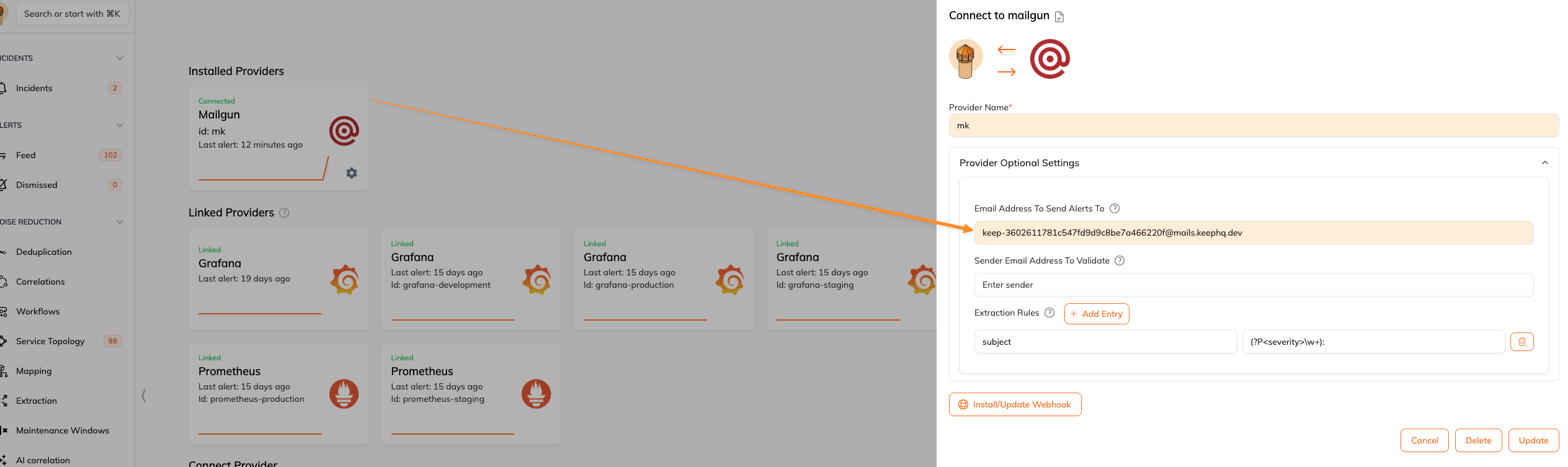
To connect to Mailgun, you do not need to perform any actions on the Mailgun side. We use our own Mailgun account and handle everything for you.
## Post Installation Validation
You can check that the Mailgun Provider works by sending a test email to the configured email address.
1. Send a test email to the email address provided in the `authentication` section.
2. Check Keep's platform to see if the alert is received.
 ## Default Alert Values
When no extraction rules are set, the default values for every alert are as follows:
* **name**: The subject of the email.
* **source**: The sender of the email.
* **message**: The stripped text content of the email.
* **timestamp**: The timestamp of the email, converted to ISO format.
* **severity**: "info"
* **status**: "firing"
## How Extraction Works
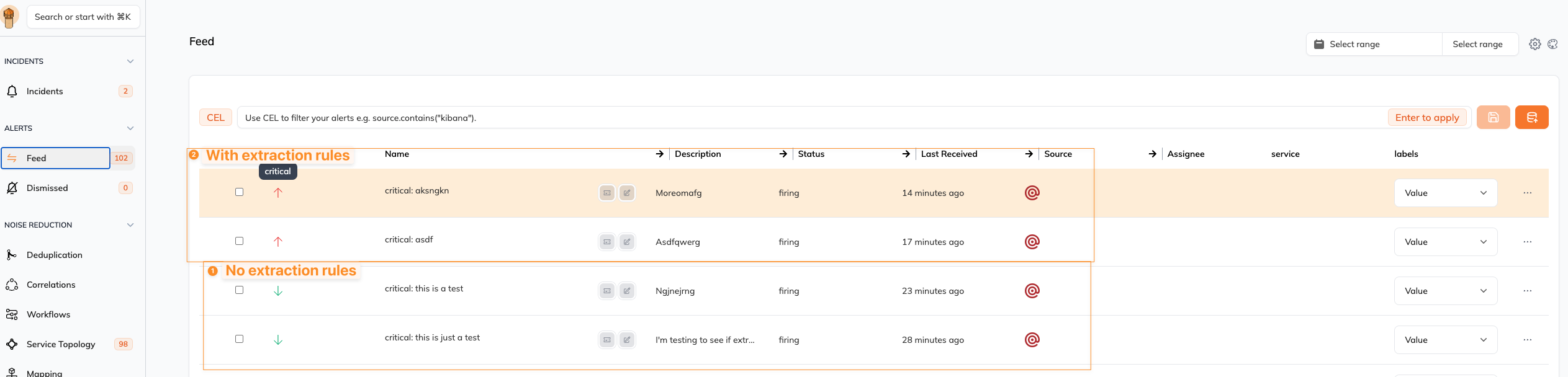
Extraction rules allow you to extract specific information from the email content using regular expressions. This can be useful for parsing and structuring the alert data.
## Default Alert Values
When no extraction rules are set, the default values for every alert are as follows:
* **name**: The subject of the email.
* **source**: The sender of the email.
* **message**: The stripped text content of the email.
* **timestamp**: The timestamp of the email, converted to ISO format.
* **severity**: "info"
* **status**: "firing"
## How Extraction Works
Extraction rules allow you to extract specific information from the email content using regular expressions. This can be useful for parsing and structuring the alert data.
 ### Example Extraction Rule
An extraction rule is defined as a dictionary with the following keys:
* **key**: The key in the email event to apply the extraction rule to.
* **value**: The regular expression to use for extraction.
#### Example
Extract the severity from the subject of the email.
```
Key: subject
Value: (?P\w+):
```
### Example Extraction Rule
An extraction rule is defined as a dictionary with the following keys:
* **key**: The key in the email event to apply the extraction rule to.
* **value**: The regular expression to use for extraction.
#### Example
Extract the severity from the subject of the email.
```
Key: subject
Value: (?P\w+):
```