> ## Documentation Index
> Fetch the complete documentation index at: https://docs.keephq.dev/llms.txt
> Use this file to discover all available pages before exploring further.
# QuickChart Provider
> The QuickChart provider enables the generation of chart images through a simple and open API, allowing visualization of alert trends and counts. It supports both anonymous usage and authenticated access with an API key for enhanced functionality.
# QuickChart Provider
## Overview
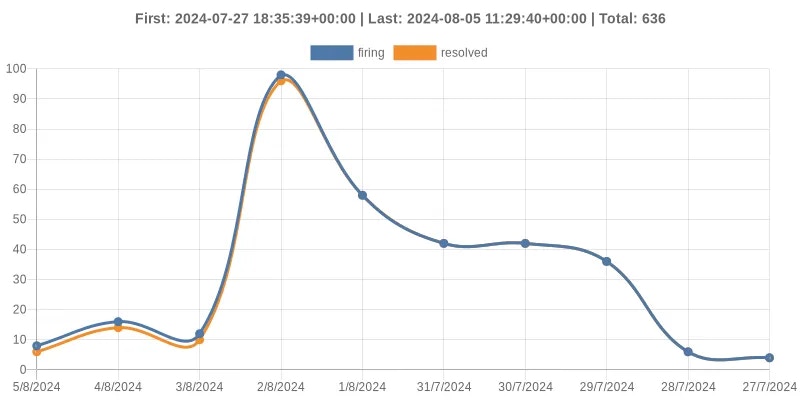
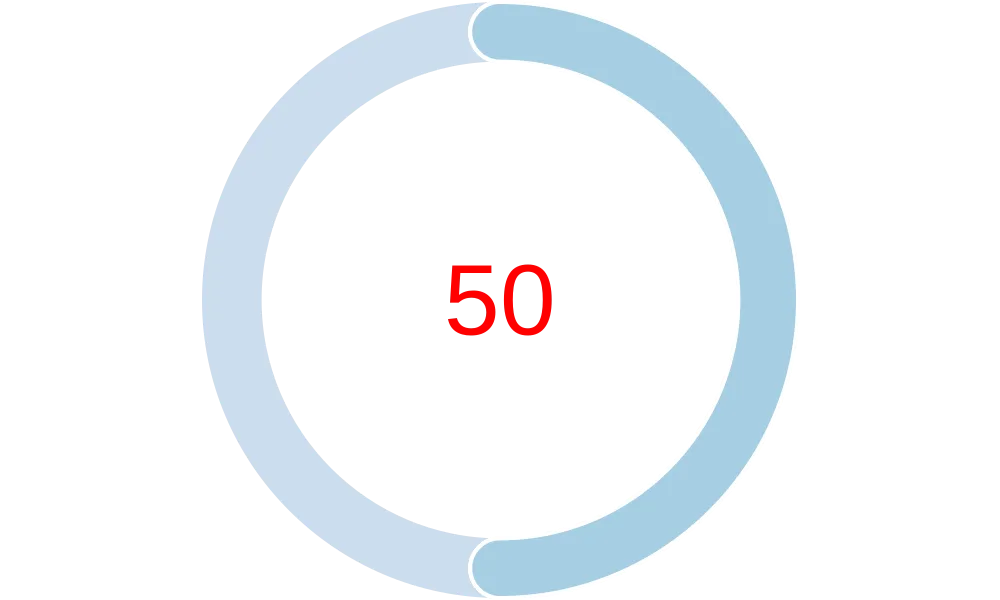
The QuickChart provider allows for the generation of two types of charts based on alert data within Keep's platform:
1. A line chart that shows the trend of a specific fingerprint alert over time.
2. A radial gauge chart displaying the total number of alerts Keep received for this fingerprint.
These charts can be used in various reports, dashboards, or alert summaries to provide visual insights into alert activity and trends.
 ## Authentication
This provider requires authentication.
* **api\_key**: Quickchart API Key (required: False, sensitive: True)
## In workflows
This provider can be used in workflows.
As "action" to make changes or update data, example:
```yaml theme={null}
actions:
- name: Query quickchart
provider: quickchart
config: "{{ provider.my_provider_name }}"
with:
fingerprint: {value}
status: {value}
chartConfig: {value}
```
If you need workflow examples with this provider, please raise a [GitHub issue](https://github.com/keephq/keep/issues).
## Connecting with the Provider
### Using QuickChart without an API Key
The QuickChart provider can generate charts without the need for an API key. However, this usage is limited to basic functionality and lower request limits.
### Using QuickChart with an API Key
To unlock more advanced features and higher usage limits, you can use a QuickChart API key. Here's how to obtain one:
1. Visit [QuickChart](https://quickchart.io/).
2. Sign up for a free account to get started.
3. Navigate to your account settings to find your API key.
Once you have your API key, add it to the provider configuration in Keep.
## Notes
This provider is designed to offer flexible chart generation capabilities within Keep, enhancing how you visualize alert data and trends. It is ideal for users who want to quickly integrate visual representations of alert activity into their workflows.
## Useful Links
* [QuickChart API Documentation](https://quickchart.io/documentation/)
* [QuickChart Website](https://quickchart.io/)
## Authentication
This provider requires authentication.
* **api\_key**: Quickchart API Key (required: False, sensitive: True)
## In workflows
This provider can be used in workflows.
As "action" to make changes or update data, example:
```yaml theme={null}
actions:
- name: Query quickchart
provider: quickchart
config: "{{ provider.my_provider_name }}"
with:
fingerprint: {value}
status: {value}
chartConfig: {value}
```
If you need workflow examples with this provider, please raise a [GitHub issue](https://github.com/keephq/keep/issues).
## Connecting with the Provider
### Using QuickChart without an API Key
The QuickChart provider can generate charts without the need for an API key. However, this usage is limited to basic functionality and lower request limits.
### Using QuickChart with an API Key
To unlock more advanced features and higher usage limits, you can use a QuickChart API key. Here's how to obtain one:
1. Visit [QuickChart](https://quickchart.io/).
2. Sign up for a free account to get started.
3. Navigate to your account settings to find your API key.
Once you have your API key, add it to the provider configuration in Keep.
## Notes
This provider is designed to offer flexible chart generation capabilities within Keep, enhancing how you visualize alert data and trends. It is ideal for users who want to quickly integrate visual representations of alert activity into their workflows.
## Useful Links
* [QuickChart API Documentation](https://quickchart.io/documentation/)
* [QuickChart Website](https://quickchart.io/)