

Overview
Dash0 is modern OpenTelemetry Native Observability, built on CNCF Open Standards such as PromQL, Perses and OTLP with full cost control.Connecting Dash0 to Keep
To connect Dash0 to Keep, you need to create a webhook in Dash0.- Go to Dash0 dashboard and click on Organization settings.
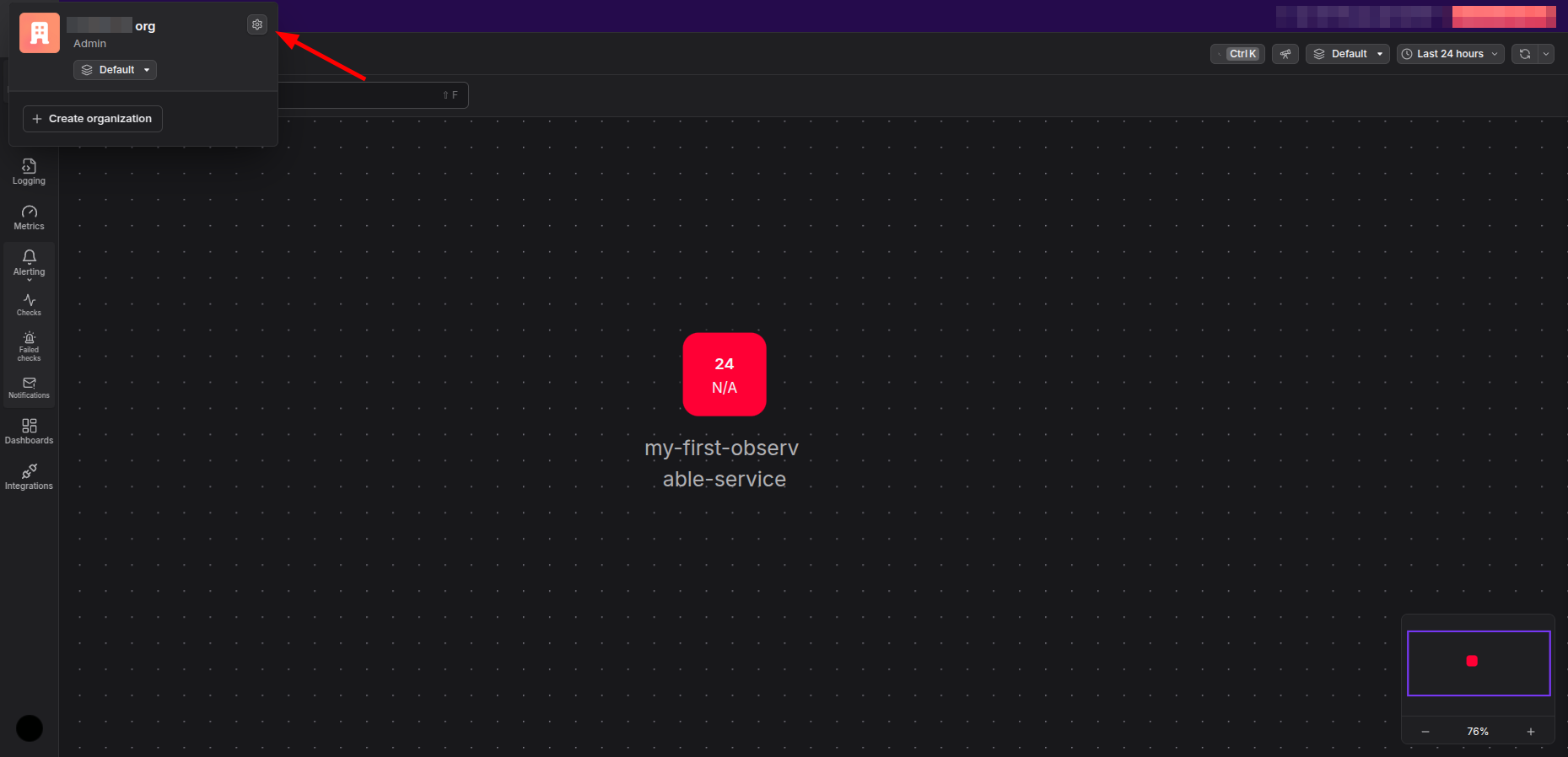
- Click on
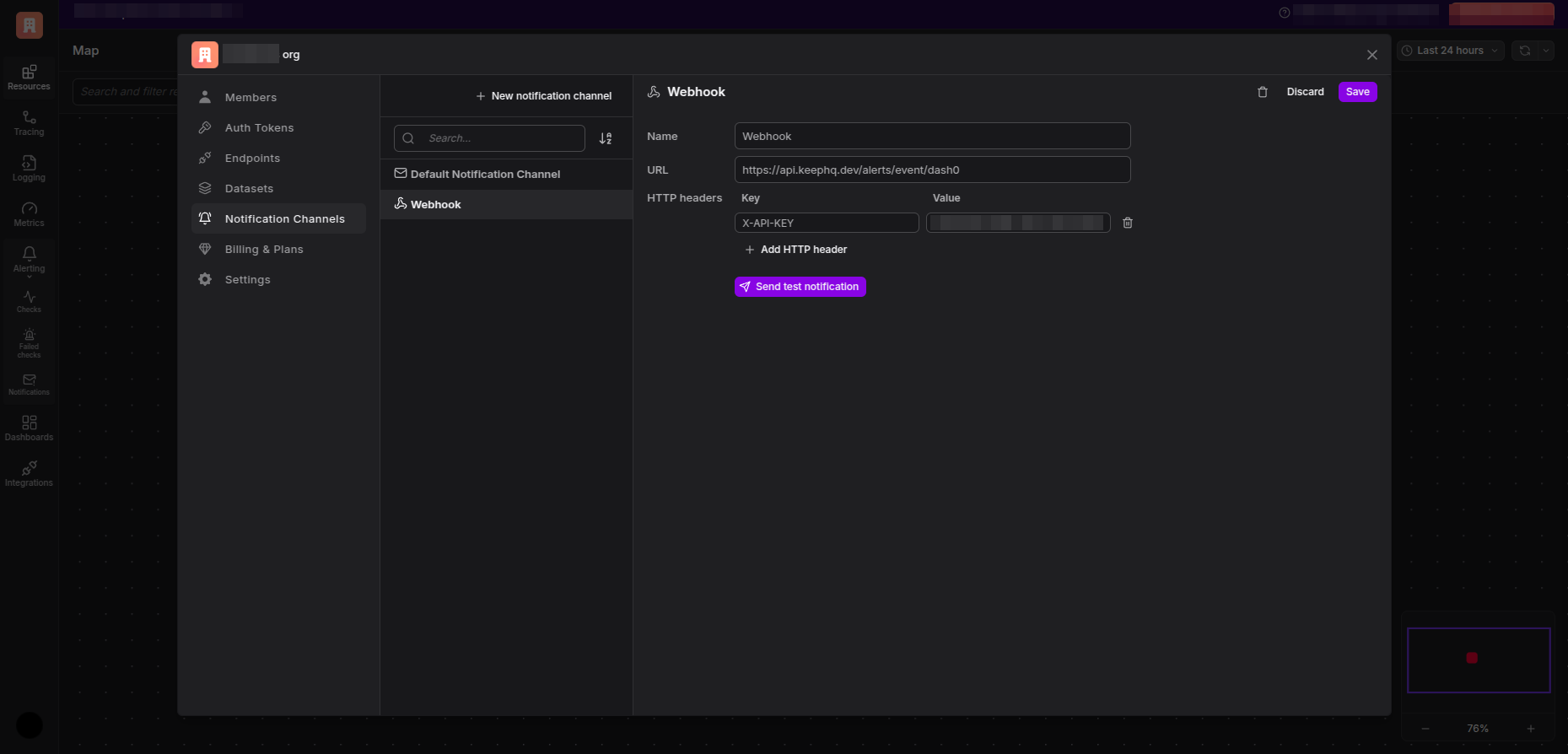
Notification Channelsand create a New notification channel of typeWebhook.
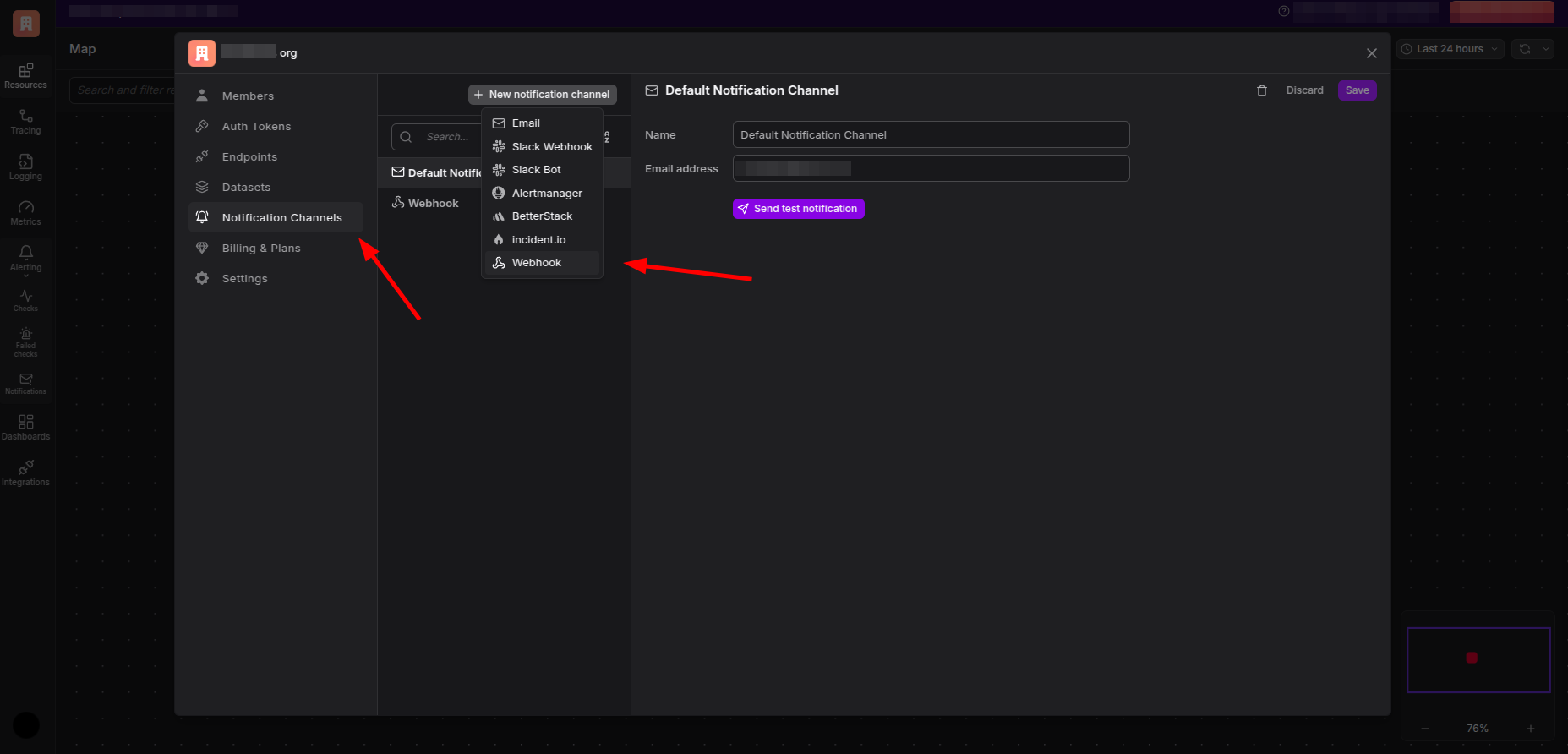
- Give a name to the webhook and enter https://api.keephq.dev/alerts/event/dash0 as the URL.
- Follow the below steps to create a new API key in Keep.
-
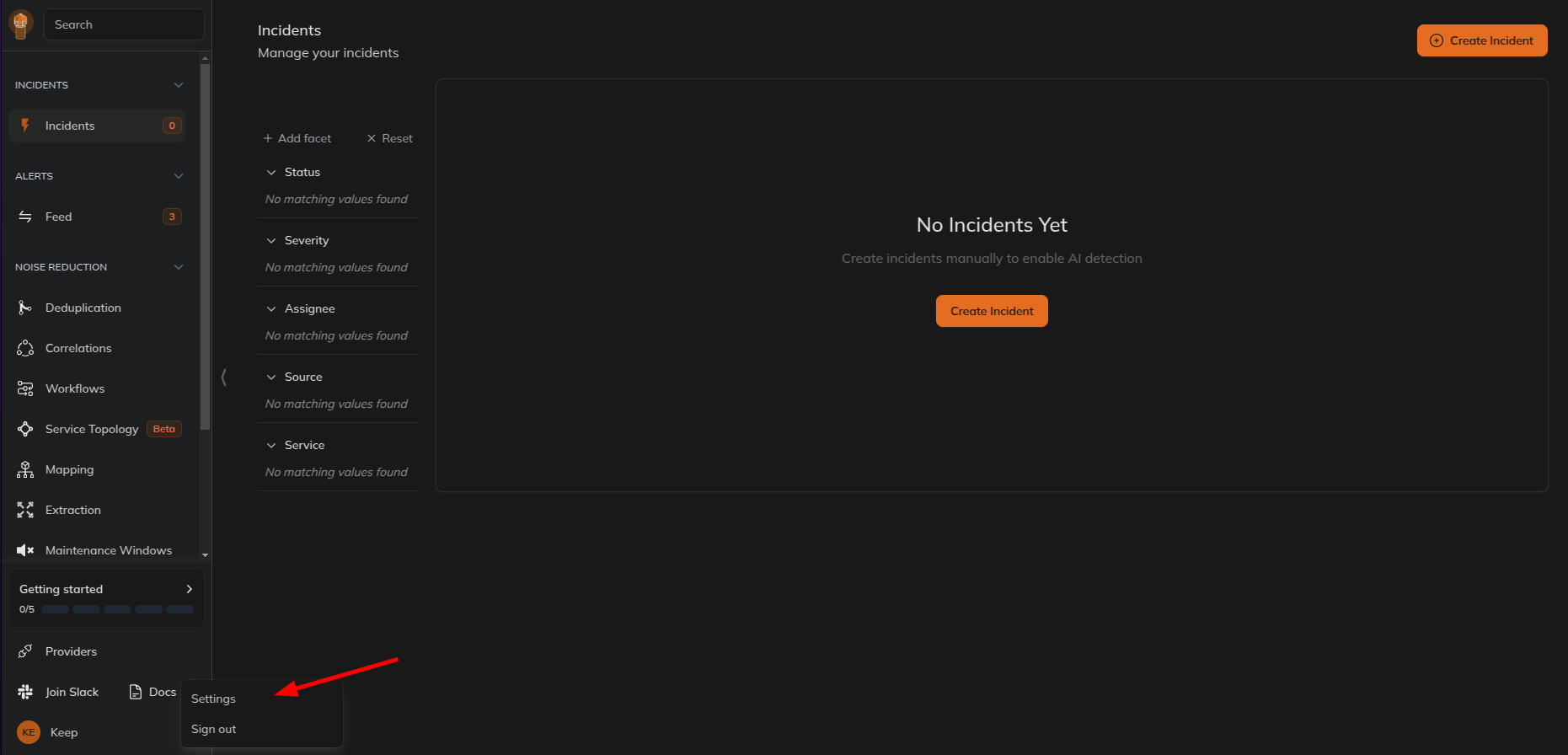
Go to Keep dashboard and click on the profile icon in the botton left corner and click
Settings.
- Select
Users and Accesstab and then selectAPI Keystab and create a new API key.
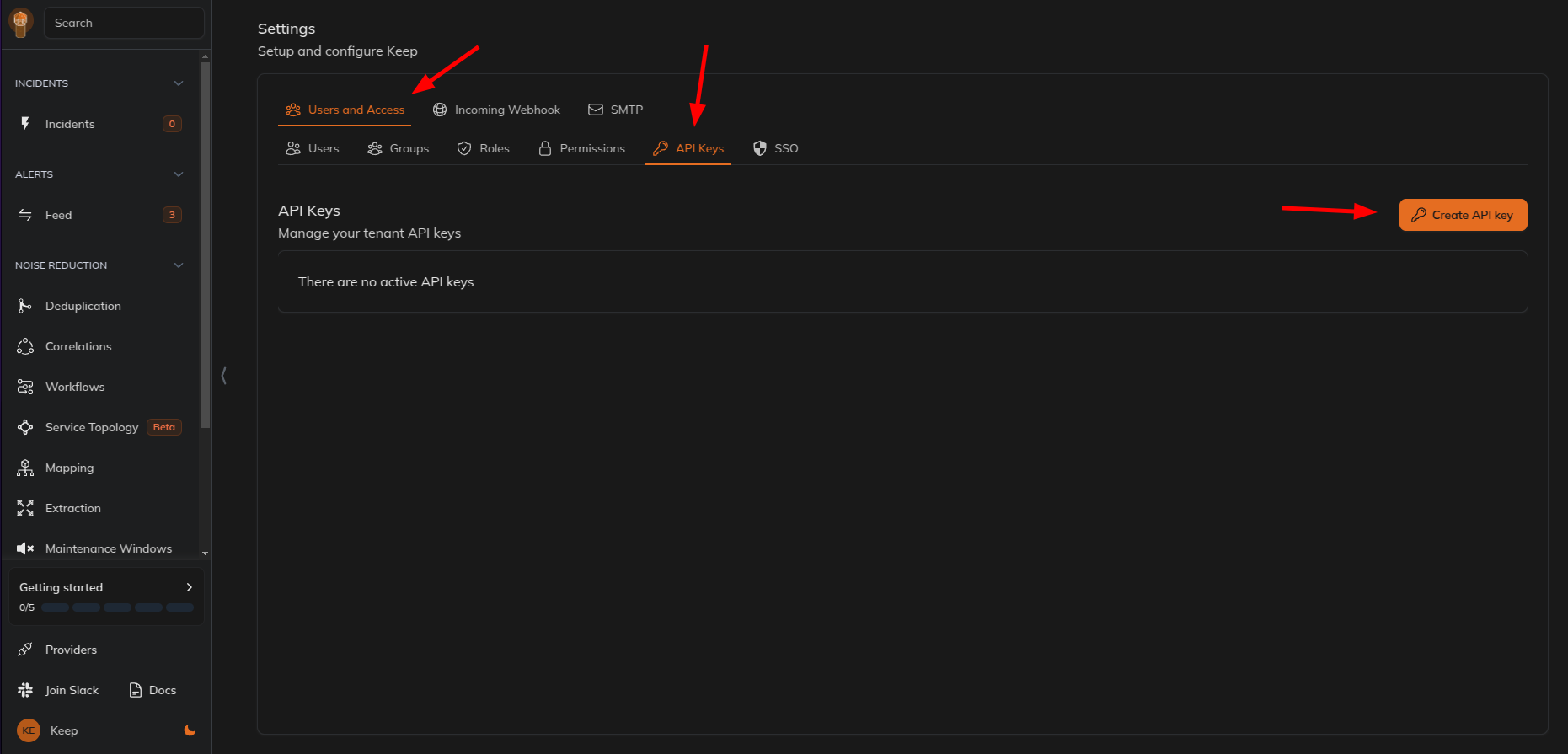
- Give name and select the role as
webhookand click onCreate API Key.
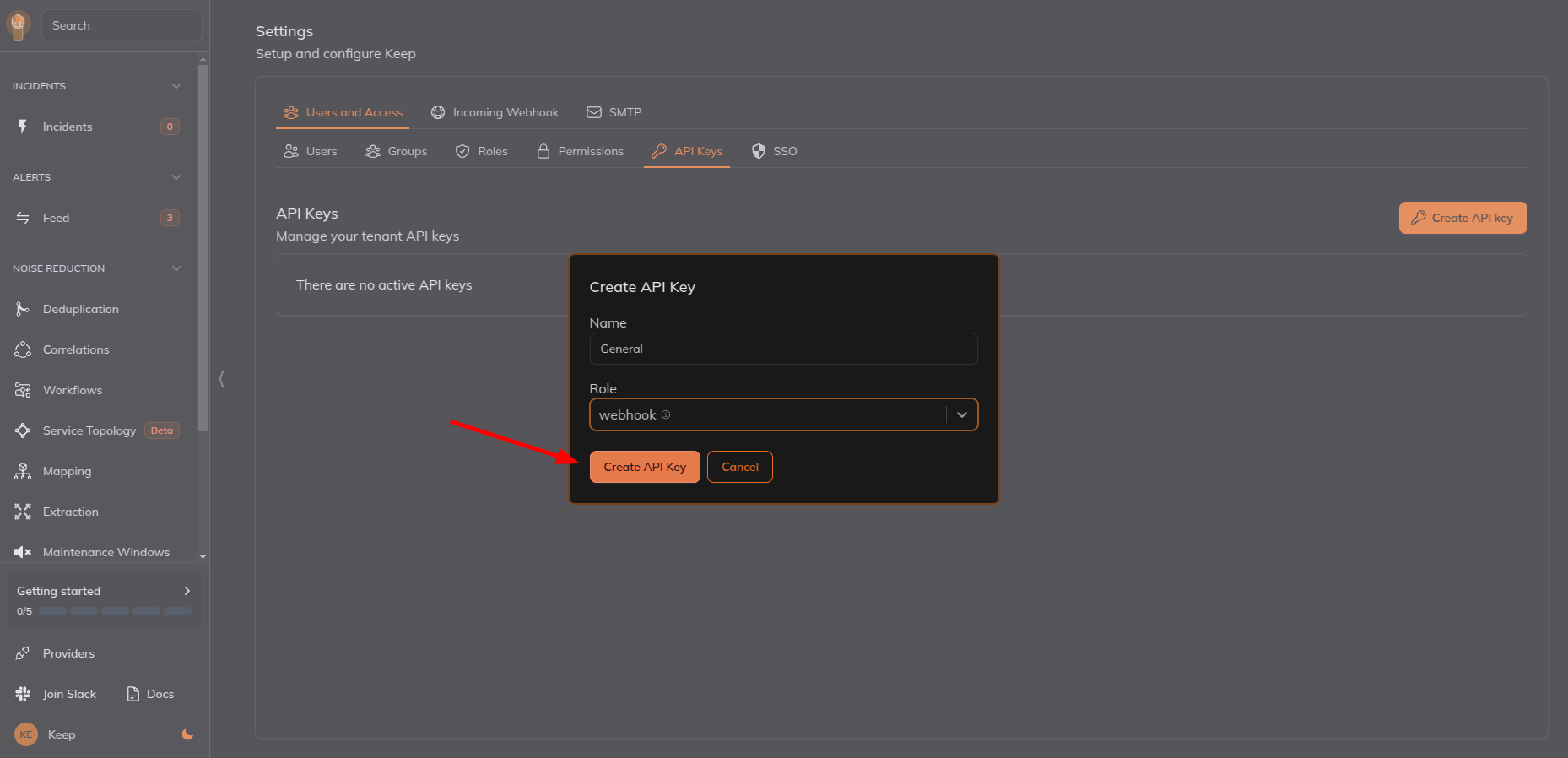
- Copy the API key.
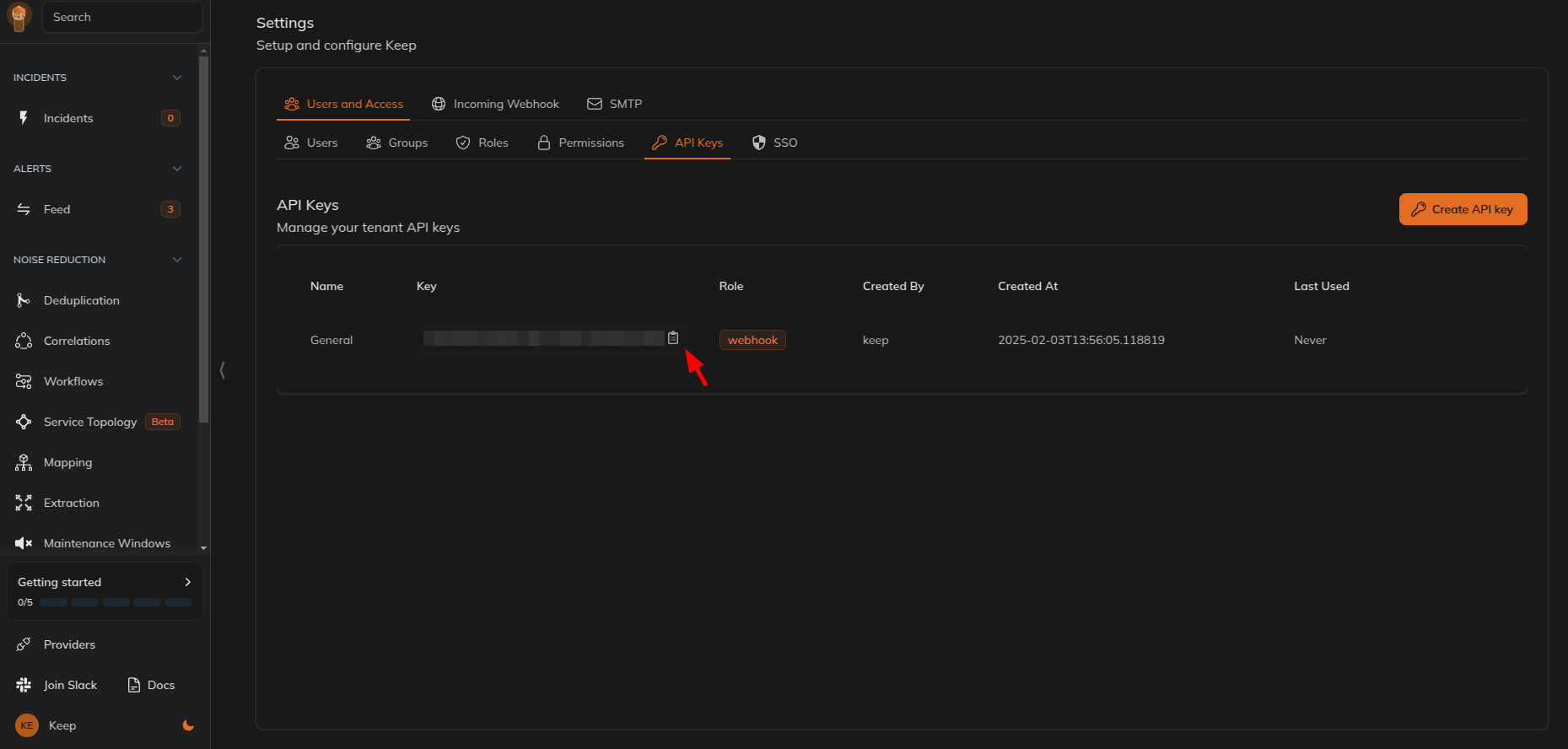
- Add a new request header with key
X-API-KEYand value as the API key copied from Keep and save the webhook.
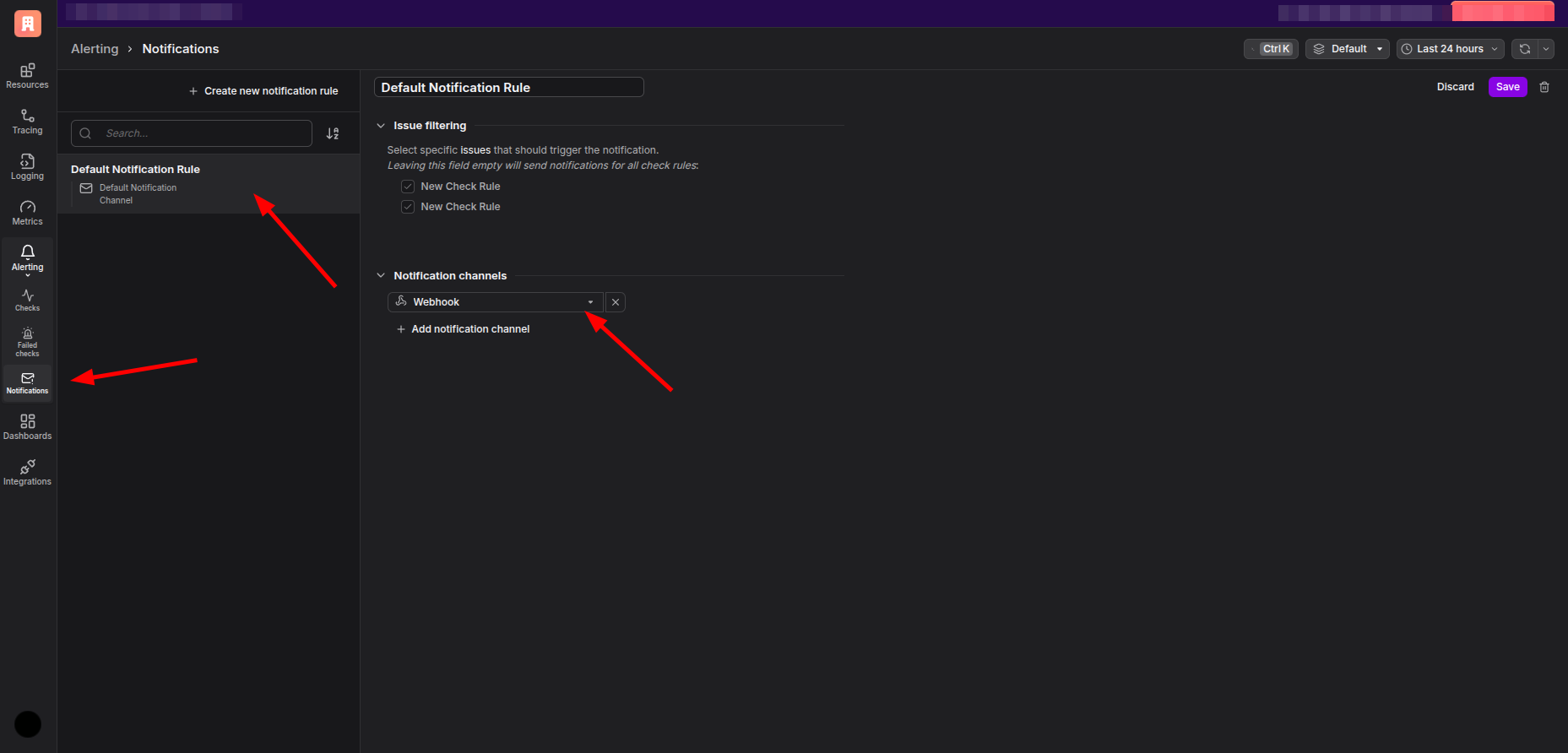
- Go to
NotificationsunderAlertingand create a new notification rule if required or change the existing notification rule to use the webhook created.
- Go to
ChecksunderAlertingand create a new check or edit an existing check to use the notification rule created.
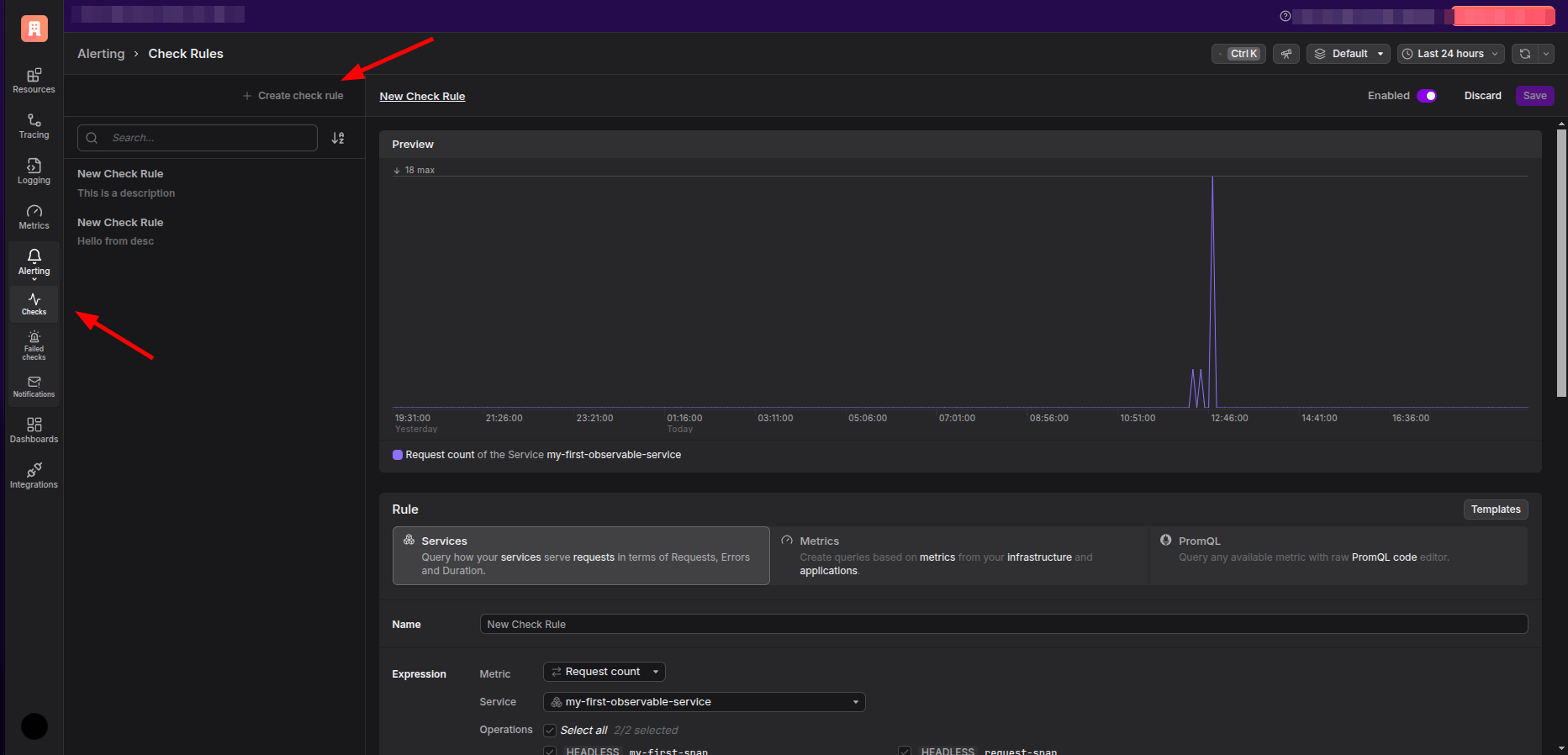
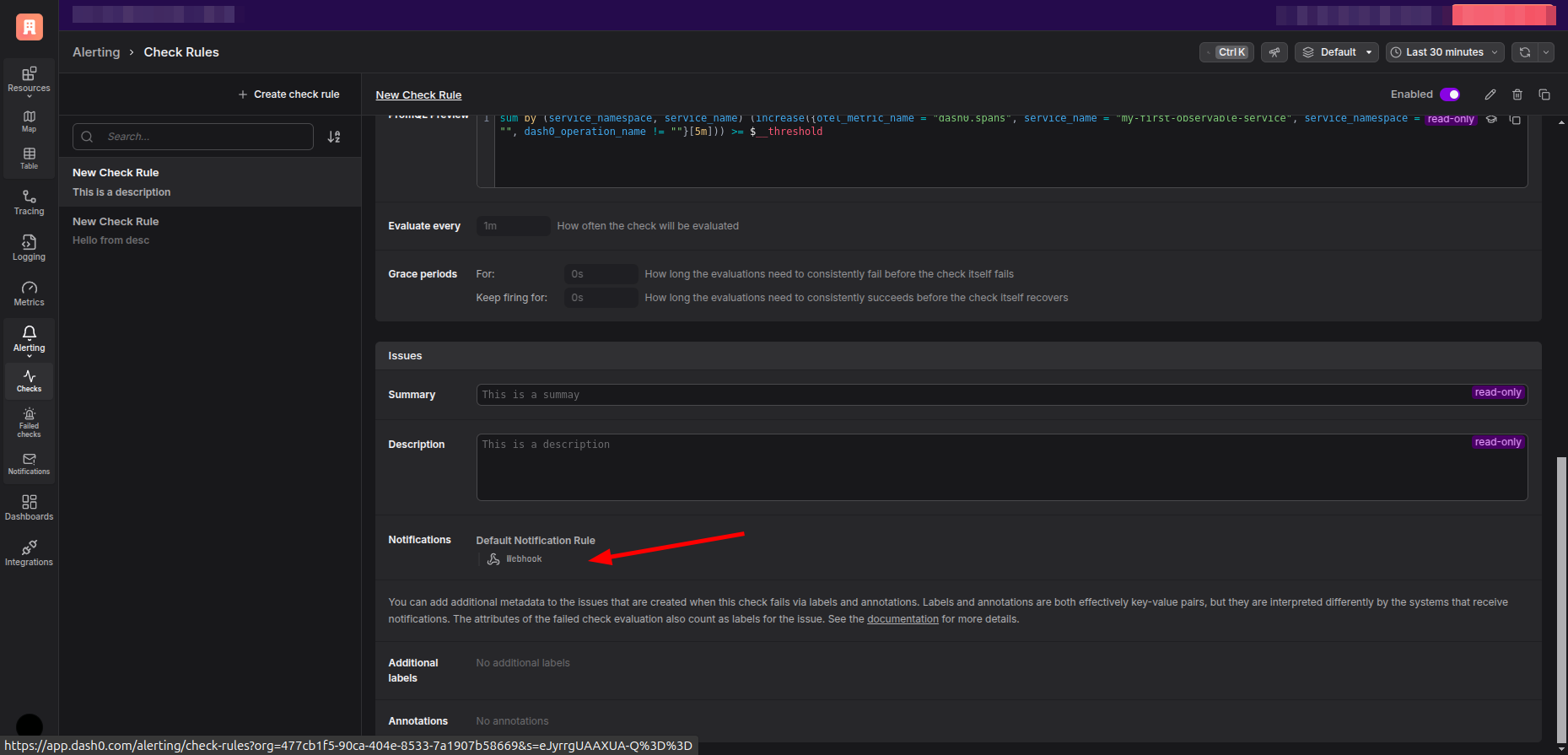
- Now you will start receiving events in Keep from Dash0.